Roles & Permissions
Custom roles with per-section access levels
Last updated 2026-11-01
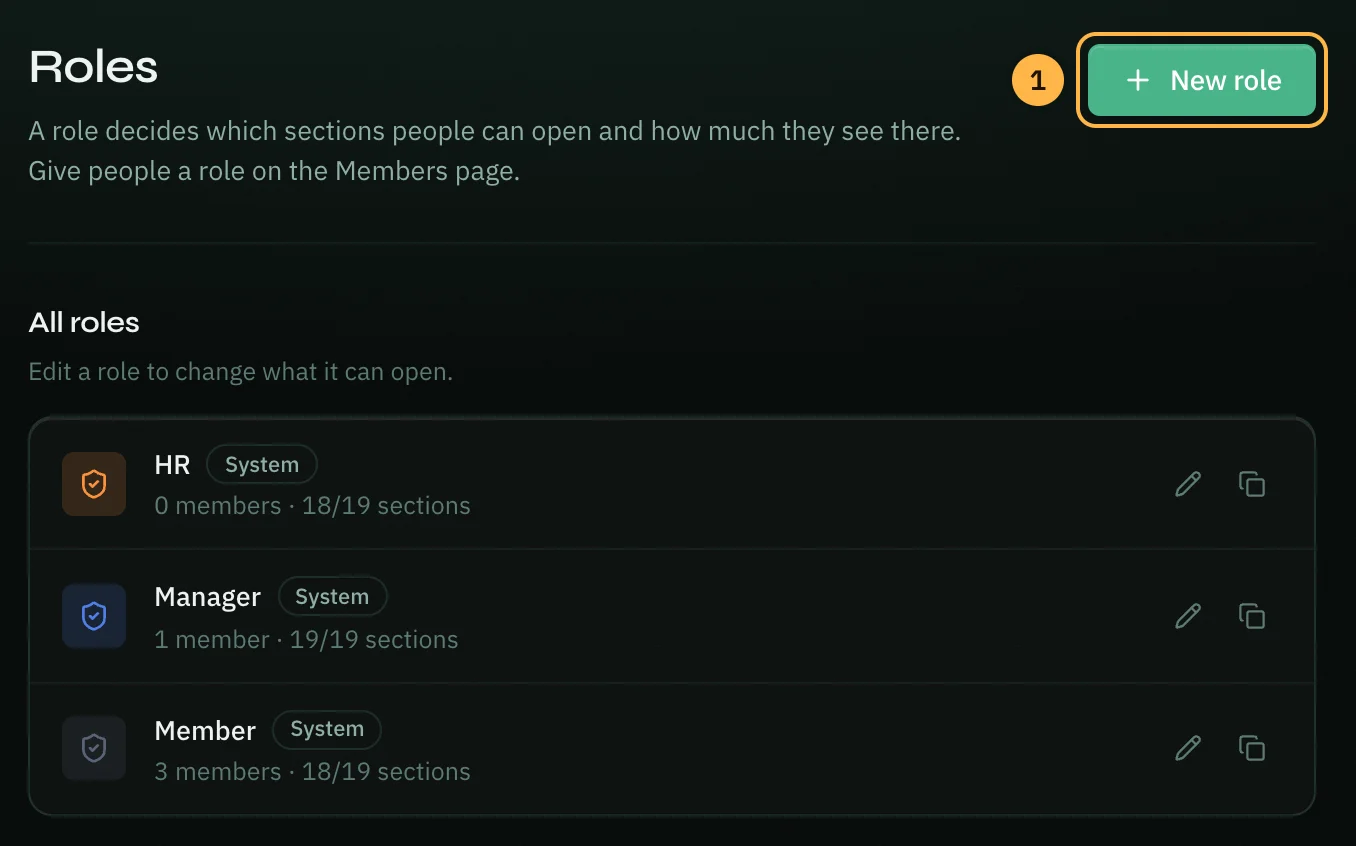
Workspace Settings → Roles lets the workspace owner decide what each role can see and do. These roles are separate from the work roles (Developer, Marketing, etc.) each person picks for themselves.
Every workspace starts with three roles marked System: HR, Manager and Member. You can edit and duplicate them, and add your own.
Permission Levels Per Section
Each role sets an access level for every workspace section:
| Section | Controls |
|---|---|
| Work logs | Daily/weekly/monthly logging |
| Tasks | Task manager and kanban board |
| Meetings | Meeting tracker, contacts, scheduling |
| Goals & OKRs | Objectives and key results |
| Reports | Work summaries and exports |
| AI Assistant | Analyzer, Brainstorm, Chat, Strategist |
| WhatsApp inbox and analytics | |
| Chat | Direct messages between workspace members |
| Team analytics | Team Dashboard visibility |
| Module · … | One row for each of the ten role modules, from Developer to Customer Success |
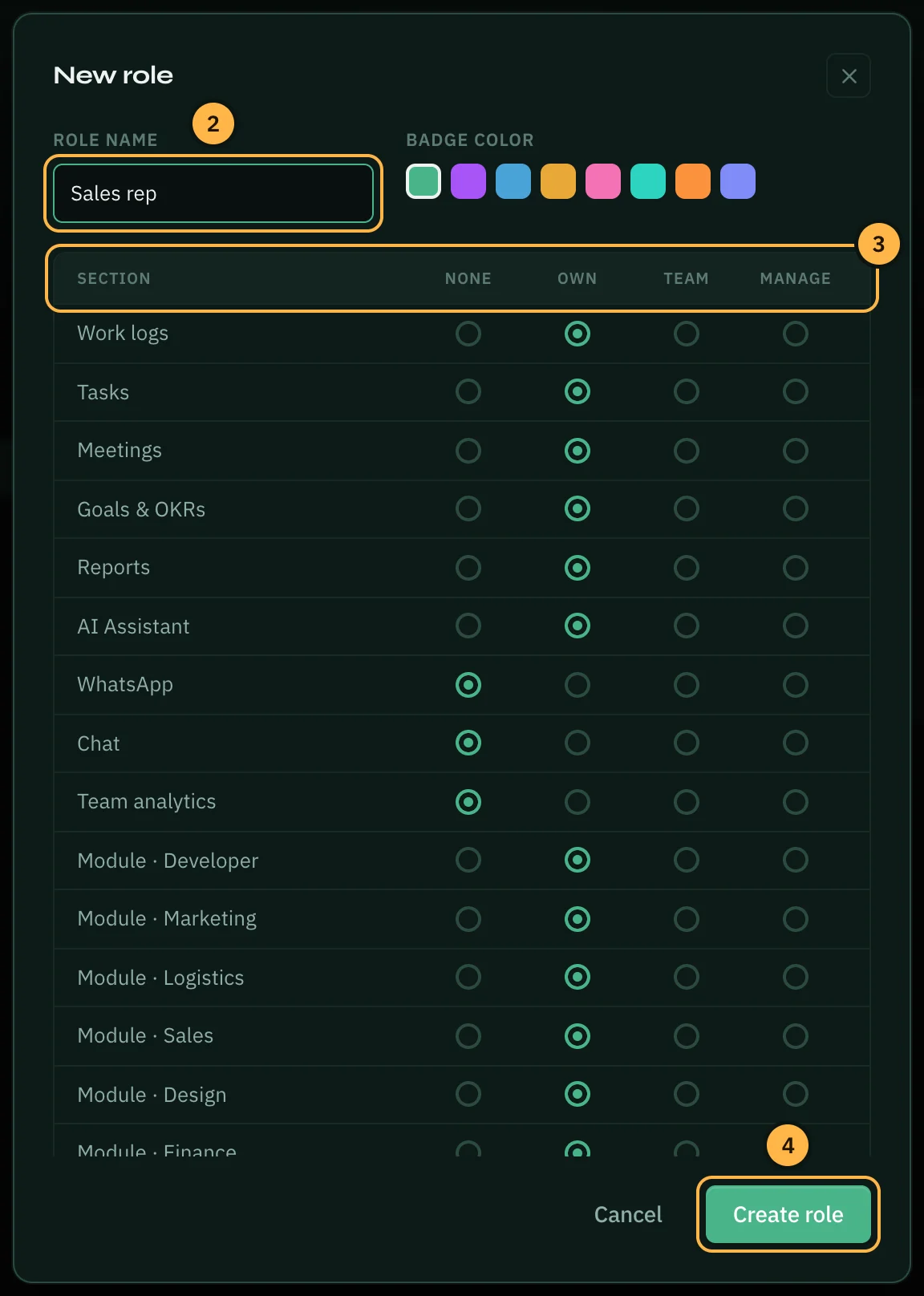
For each section, assign one of four levels:
- None — the section is hidden entirely for this role.
- Own — the member sees and edits only their own data.
- Team — the member can view everyone's data in that section.
- Manage — the member can edit and assign work to others.
Roles only set access to these sections. In Workspace Settings, the workspace pages (members, roles, features and the rest) are for the workspace owner only. Everyone keeps the Just for you pages: their own work roles and Quick Launch.
Creating a Role
- Click New role at the top right.
- Type a Role name and pick a Badge color.
- For each section, choose None, Own, Team or Manage. The list scrolls: the module rows are at the bottom.
- Click Create role.
Then give the role to people on the Members page (see Workspace → Members & Invites).
Editing, Duplicating and Deleting
Each role in the list has buttons on the right:
- Edit (pencil) — change the name, color or levels, then click Save role.
- Duplicate (copy icon) — start a new role from this one.
- Delete (bin) — only for roles you created; system roles can't be deleted. If people hold the role, Opzello asks which role to give them instead before it deletes it.
Only the workspace owner can create, edit or delete roles.
Thank you — that helps us improve the docs.