Daily Logs
View, filter, and manage same-day work entries
Last updated 2026-11-01
The Daily page (Work Logs → Daily) is your home for work logging. It shows every entry for one day, with the week around it at the top.
Pick a day and find an entry
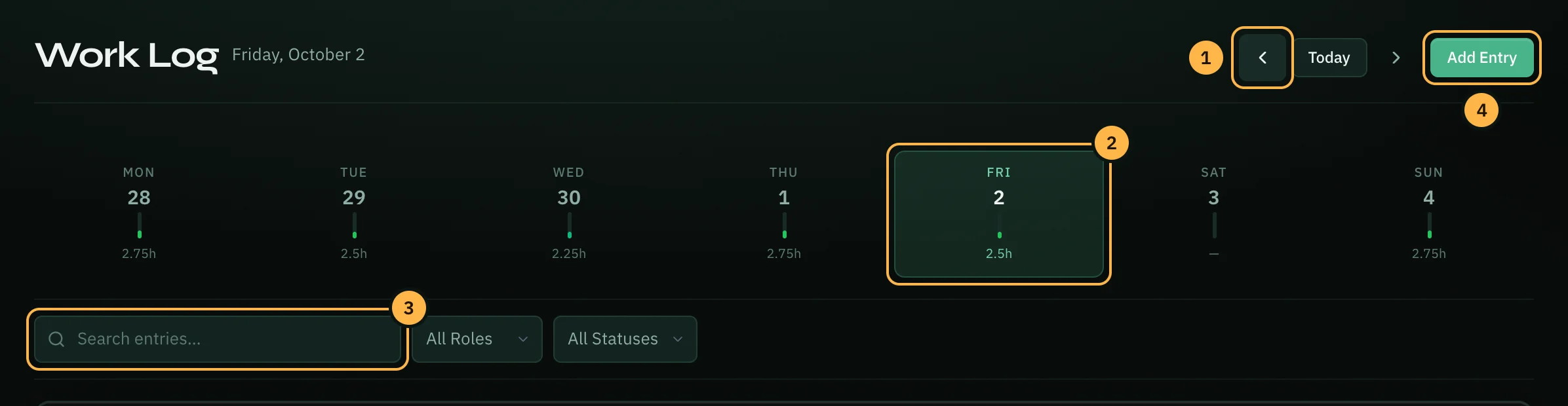
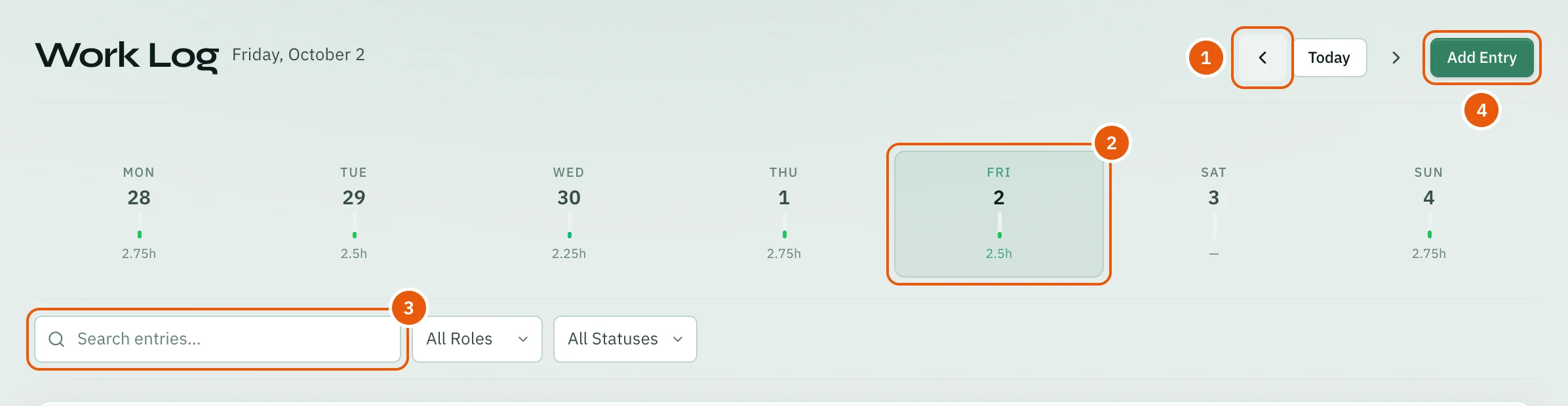
- Use the arrows to go one day back or forward. Today brings you back to today.
- Or click a day in the week strip. Each day shows how many hours you logged.
- Type in Search entries… to find words in a title, description or category. Use All Roles and All Statuses next to it to show only one role or one status. Clear removes the filters.
- Click Add Entry to log work for the day you are looking at.
Add an entry
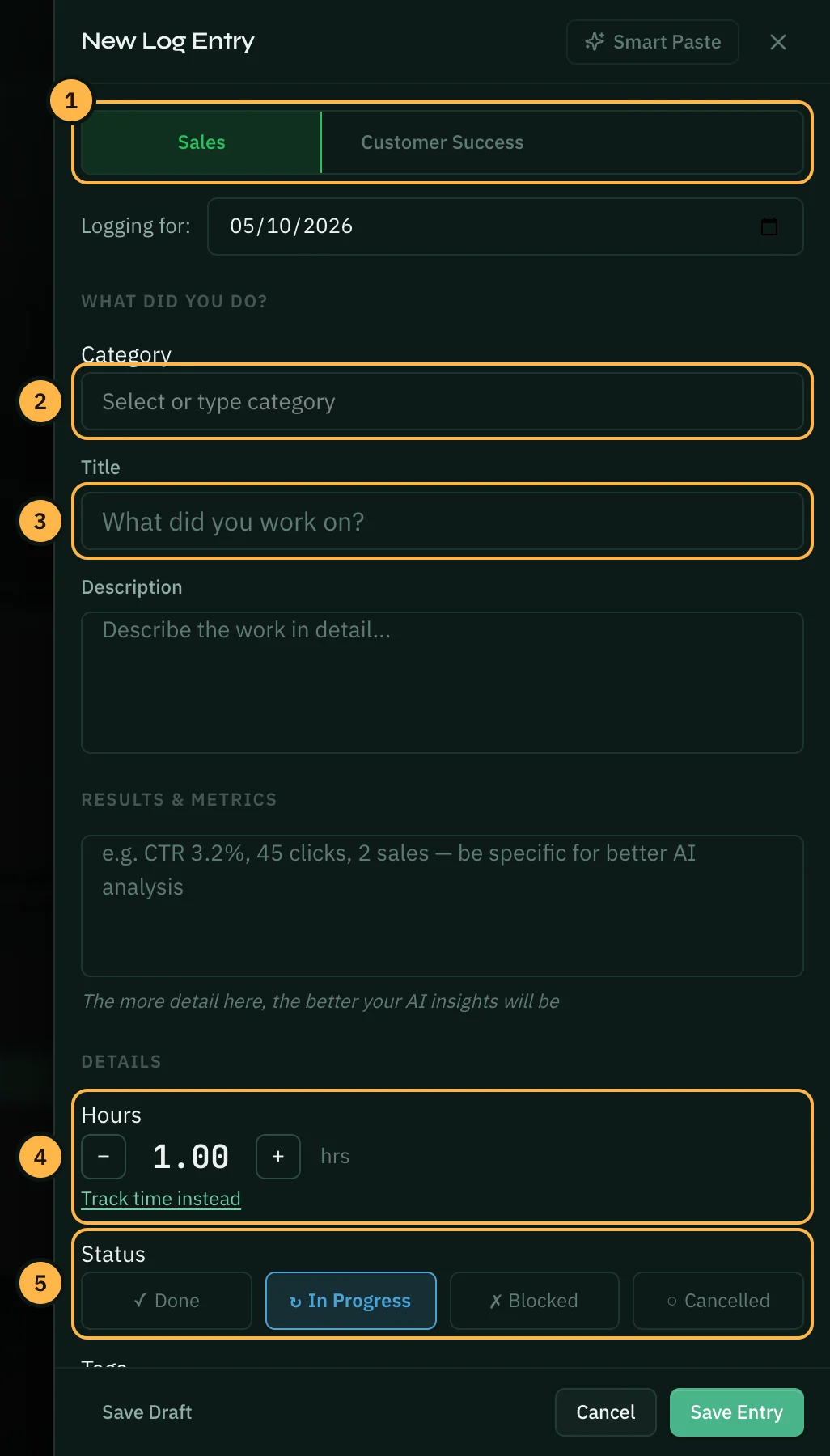
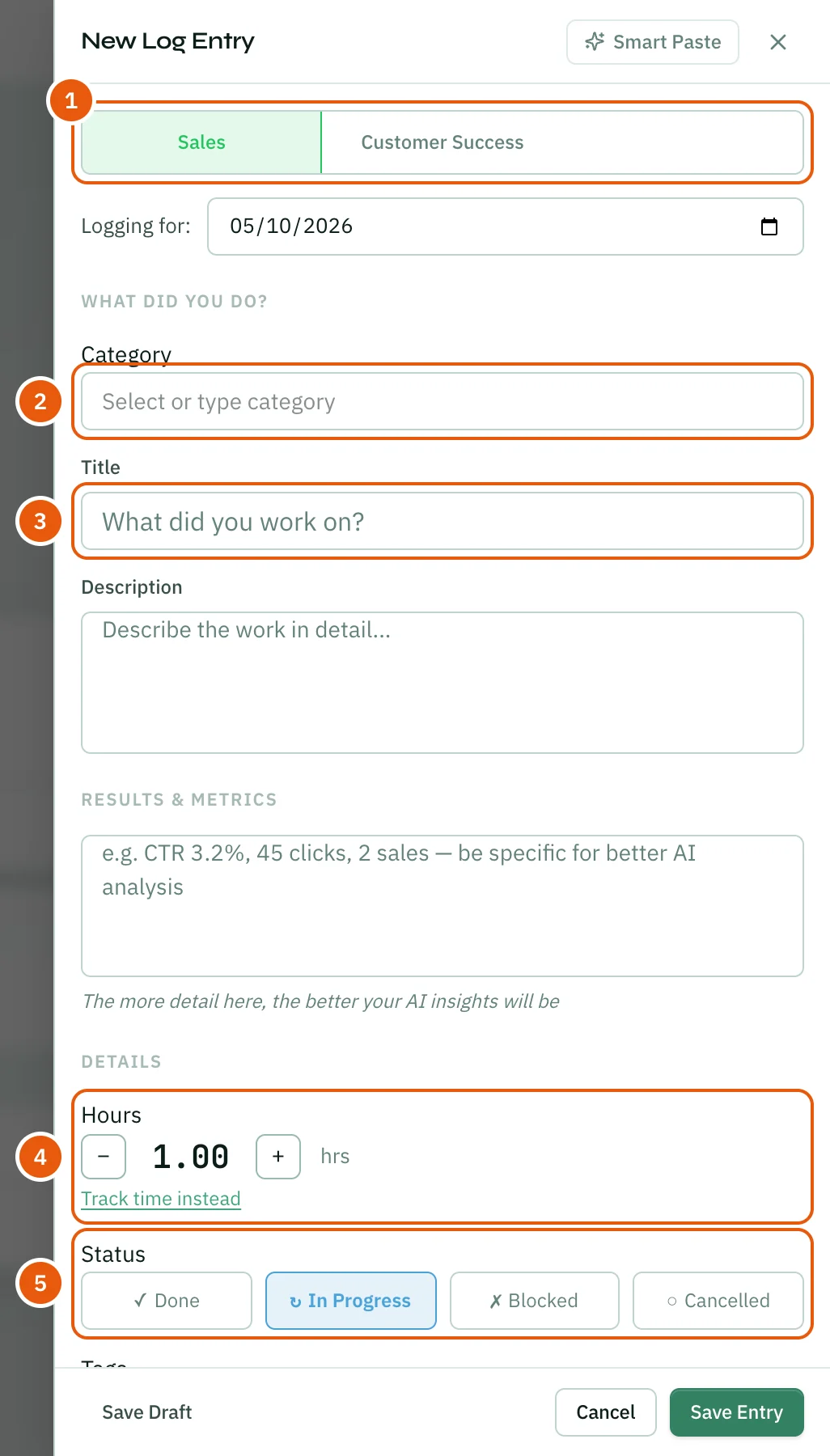
Click Add Entry, or click + at the top of any page and choose Log Work. The New Log Entry panel opens. Logging for: shows the day the entry is for. Change it if you want to log an earlier day.
- Pick the role you worked in. Only your own roles are shown.
- Pick a Category from the list, or type your own.
- Write a short Title. Add a Description if you want more detail.
- Set the Hours with − and +. Or click Track time instead to start a timer and log the time when you stop it.
- Pick a Status: Done, In Progress, Blocked or Cancelled.
- Click Save Entry. Save Draft keeps the entry without logging it yet.
The panel has more optional fields: Results & Metrics (what came out of the work, for example "12 leads added"), Tags, and Link to Goal. Smart Paste at the top fills the form for you from text you paste, like a chat message or an email.
Change or delete an entry
Each entry shows its role, category, status and hours, and any results and tags.
- Point at an entry to show its buttons. Click the pencil to edit the entry, or the bin to delete it. Opzello asks before it deletes anything.
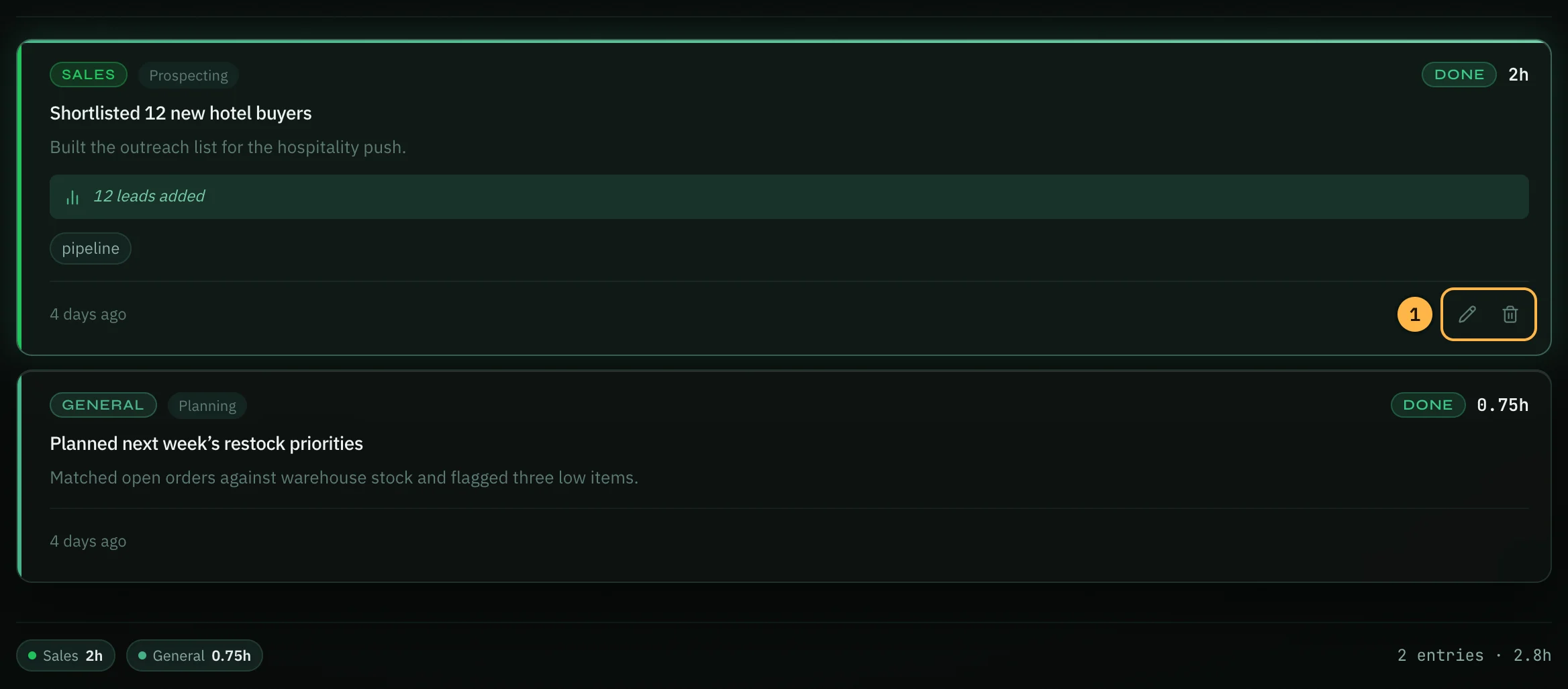
At the bottom of the page you see the day's hours for each role, and the total number of entries and hours.
Tips
- Log at the end of each day while you still remember the details. The weekly and monthly views, reports and AI tools only see what you logged.
- Use Blocked for work that is stuck, then make a task for what needs to happen next.
- Write numbers in Results & Metrics. They make AI insights and reports much more useful.
Thank you — that helps us improve the docs.