Marketing Module
Track ad and email campaigns: budget, spend, revenue and results
Last updated 2026-11-01
The Marketing module tracks your marketing campaigns on any platform, such as email, Google Ads, Instagram or LinkedIn. You type in each campaign's budget, spend and results, and Opzello works out the return.
These campaigns are your own records. They are not the same as WhatsApp campaigns, which you send from WhatsApp → Broadcasts.
Open the module
The Modules group in the sidebar shows a page for each of your work roles. To pick your roles, click your name at the bottom of the sidebar and choose My work roles. Pick up to 3 roles, then click Save changes in the bar at the bottom. You can also find this page in Workspace Settings → Your work roles. Roles belong to one workspace, so you can pick different roles in each workspace. The role for this module is called Marketing.
You can open any module, even one that is not your role, from Modules → All Modules. If you don't see Modules in the sidebar, the workspace owner has turned off Role Modules in Workspace Settings → Features.
The dashboard
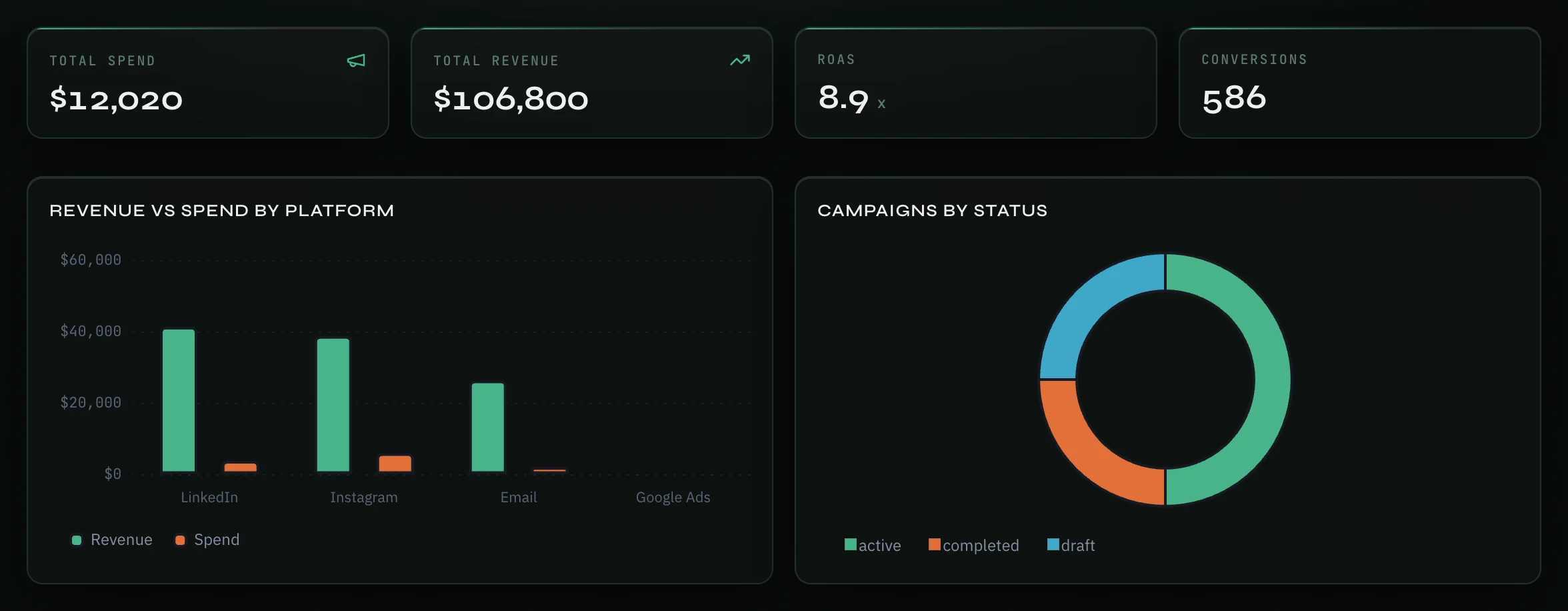
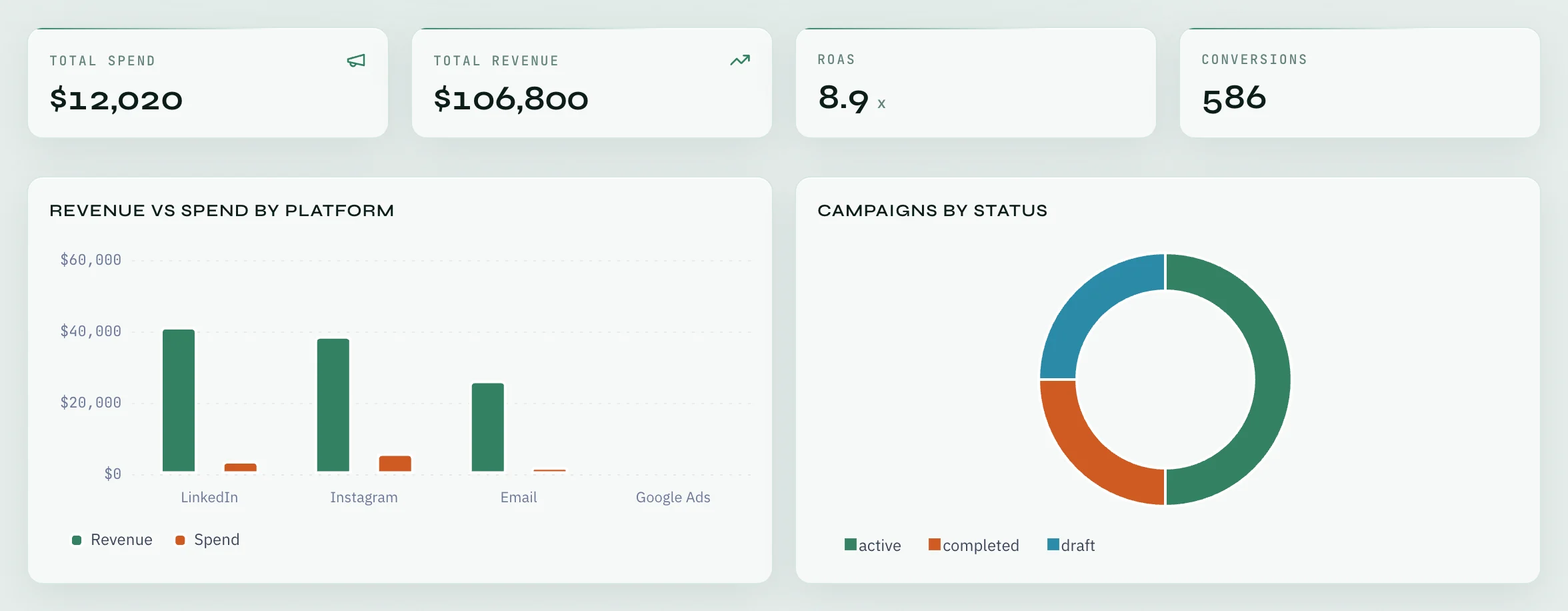
The top of the page has four numbers, added up over all your campaigns:
- Total spend and Total revenue.
- ROAS — return on ad spend: total revenue divided by total spend.
- Conversions.
Two charts follow: Revenue vs spend by platform and Campaigns by status. Under them, Campaigns has a card for each campaign with its platform, status, and its ROAS, CTR (click rate), CPC (cost per click) and CPA (cost per conversion).
Add a campaign
- Click Add Campaign at the top right of the page.
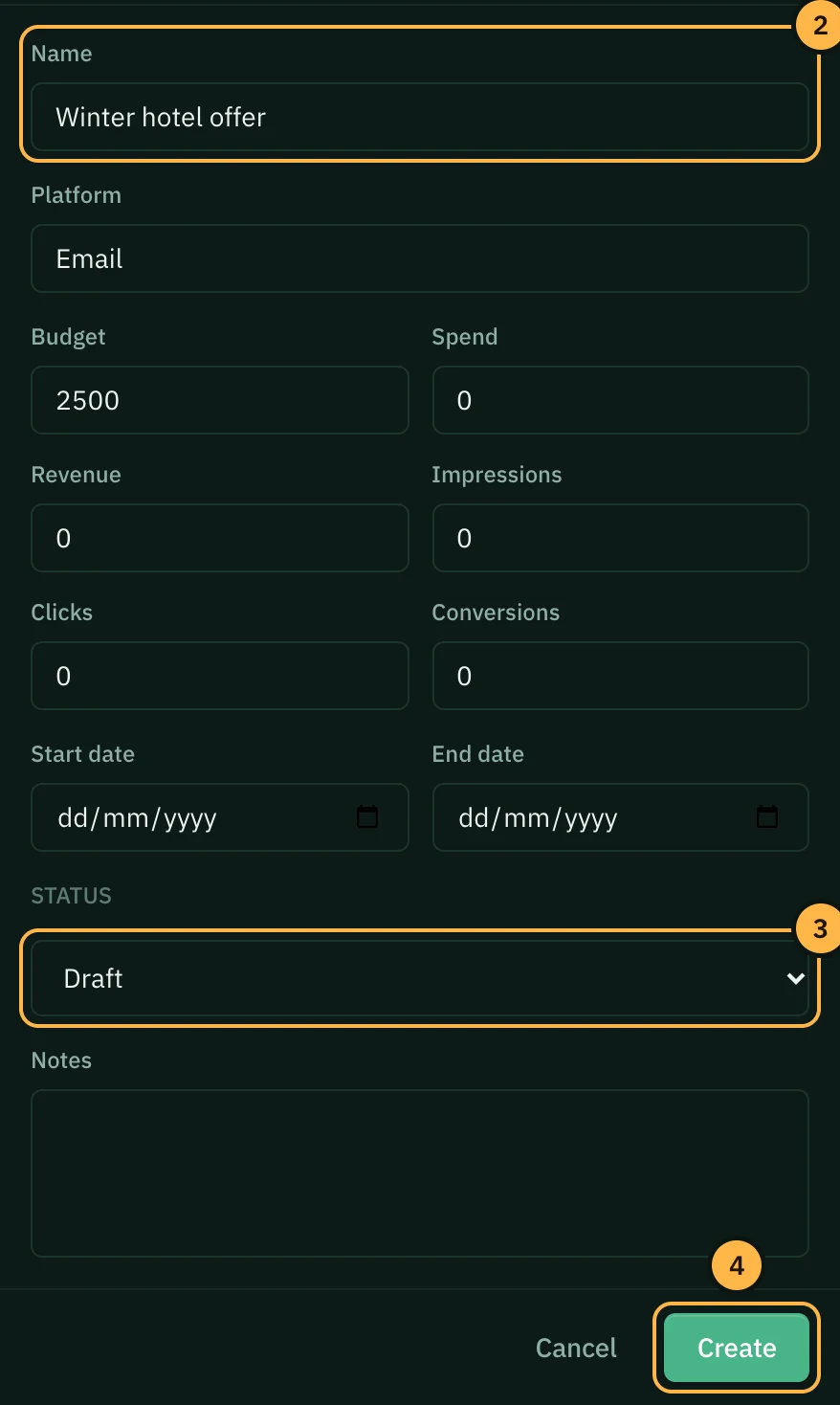
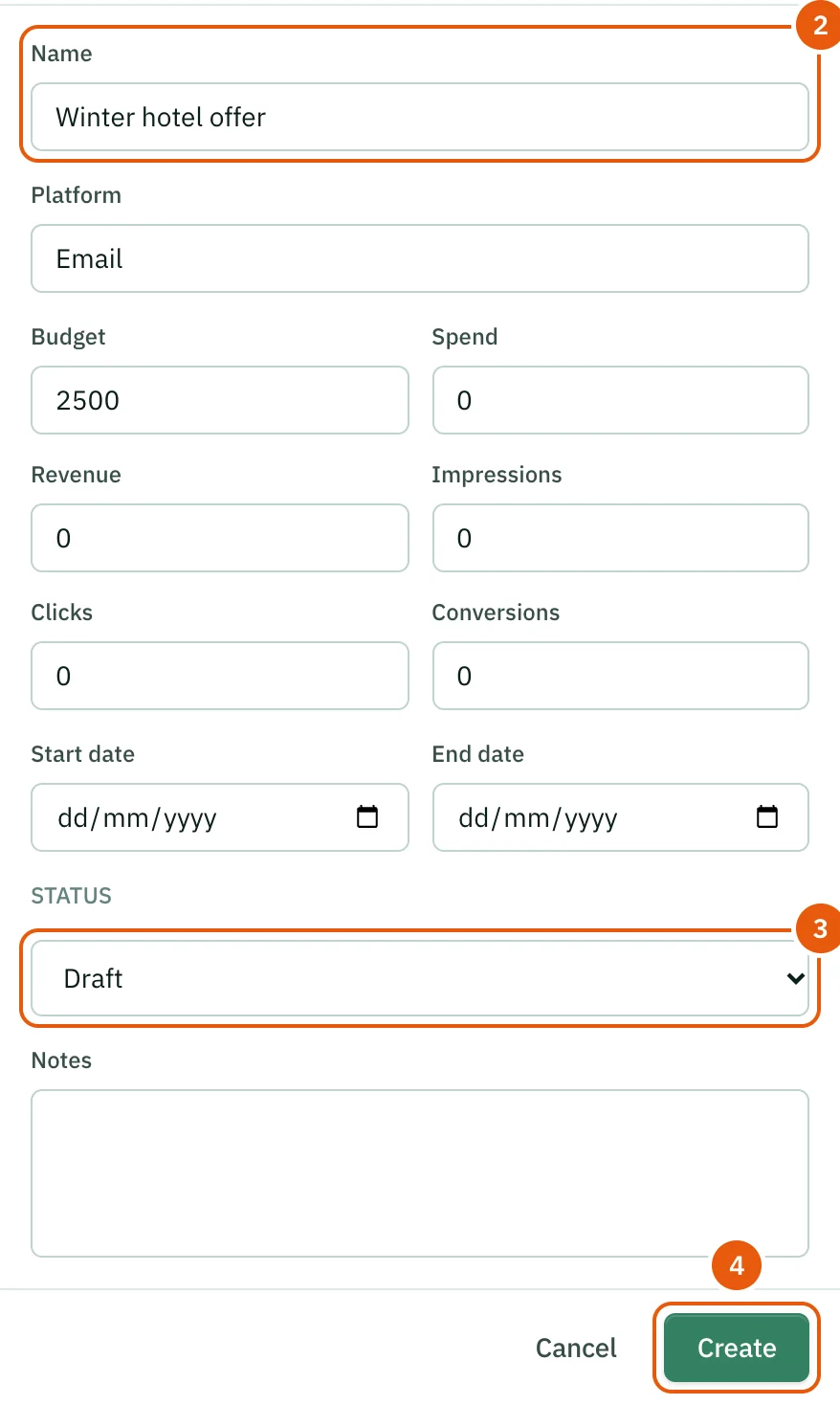
- Type the campaign Name and the Platform. Both are required. Then fill in what you know: Budget, Spend, Revenue, Impressions, Clicks, Conversions, the Start date and End date, and Notes.
- Pick a Status: Draft, Active, Paused or Completed.
- Click Create.
Change or remove a campaign
Click Edit on a campaign card to update it. Opzello does not read your ad accounts, so update spend and results yourself, for example once a week. Click the bin icon next to Edit to delete the campaign.
Tips
- Use the same platform name every time (for example always "Instagram", not "IG"), so the platform chart groups campaigns correctly.
- A key result on a goal can track Campaign revenue or Campaign conversions from your campaigns that run during the goal's dates.
- Ask AI at the top of the page opens Ask AI in Marketing mode, so its answers focus on marketing work.
Thank you — that helps us improve the docs.