Scheduling & Participants
Schedule upcoming meetings, invite people, and the invite and reminder emails
Last updated 2026-11-01
A meeting with the status Scheduled is an upcoming meeting. You schedule one with the same form you use to log a past meeting (see Logging a Meeting), and you can invite people to it.
Invite people
- Click Schedule Meeting at the top right of Meetings, or open an upcoming meeting and click Edit.
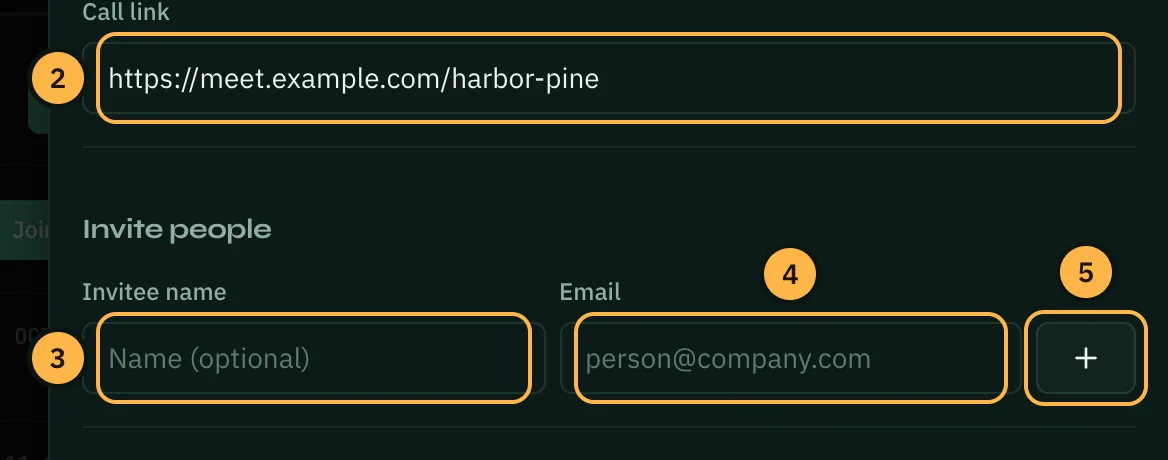
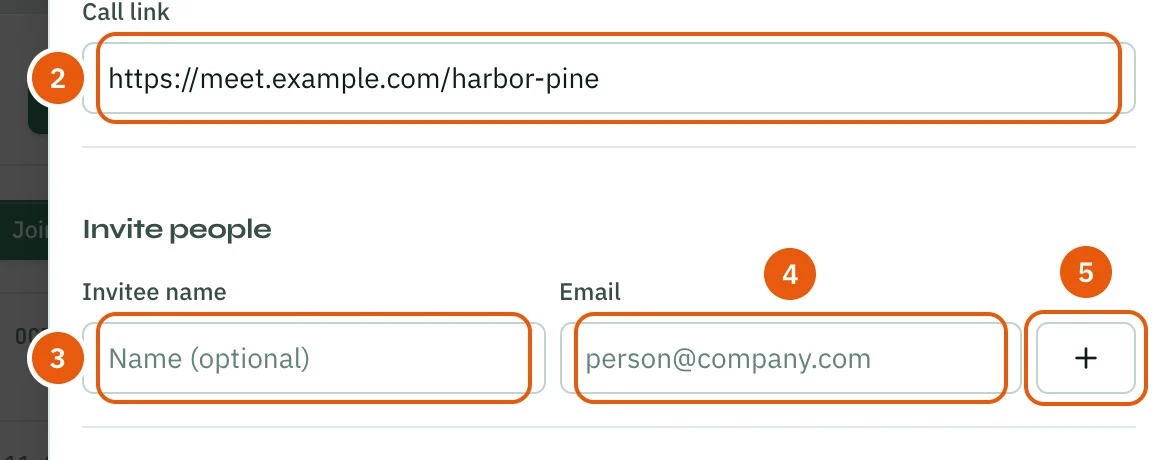
- For an online meeting, paste the Call link under Meeting details.
- Under Invite people, type the person's name in Invitee name. The name is optional.
- Type their Email.
- Click + to add them to the list. Repeat for each person. Click × next to someone to take them off the list.
- Click Create (or Save when you are editing).
You are the host, so you are on the list too.
The invite email
When you create the meeting, everyone you invited gets an email invitation. It has a calendar file (.ics) attached, so they can add the meeting to Google Calendar, Outlook or Apple Calendar with the right date and time. The email and the calendar file include the call link when there is one.
Reminders
About an hour before a scheduled meeting, you get an in-app notification, and everyone you invited gets a reminder email. Reminders are sent by Opzello in the background, so nobody has to be signed in. A meeting that is no longer Scheduled (for example Cancelled or Completed) gets no reminder.
People with an Opzello account can turn reminder emails off in Account → Notifications under Meeting reminders.
Join the call
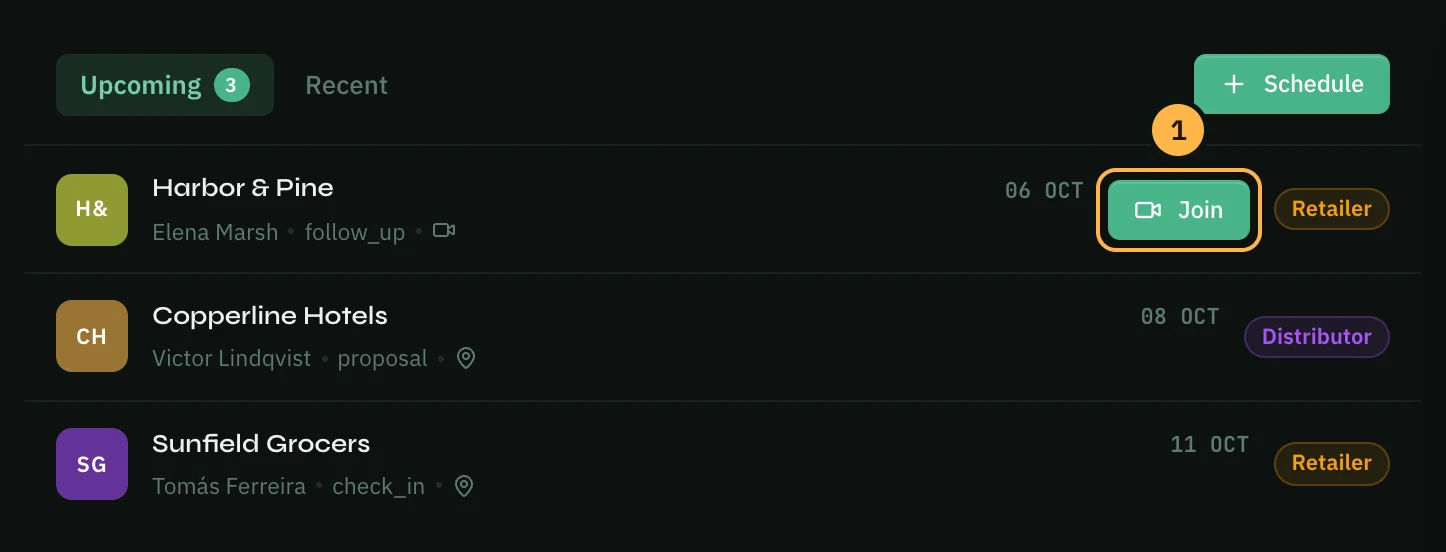
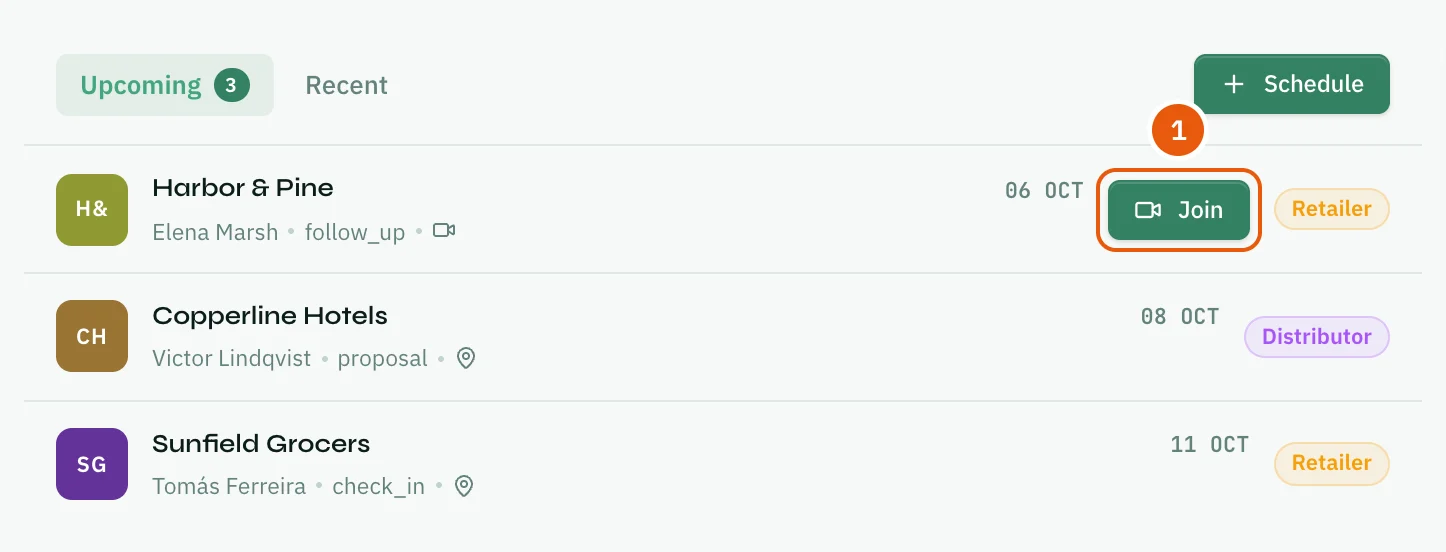
- A scheduled meeting with a call link shows Join under Upcoming on the Meetings page. Click it to open the call.
After the meeting
A scheduled meeting and a logged one are the same record, so there is nothing to copy over. Open the meeting, click Edit, choose Completed under Notes & outcome, and add how it went and your notes.
Thank you — that helps us improve the docs.