Notifications
Choose which notifications you get in the app and by email
Last updated 2026-11-01
Open Account Settings in the Hub sidebar, then Notifications. This page decides what you hear about in the app and by email. Changes save on their own; you see Saved next to the section title. The top of the page shows the address your emails go to.
Quick setup
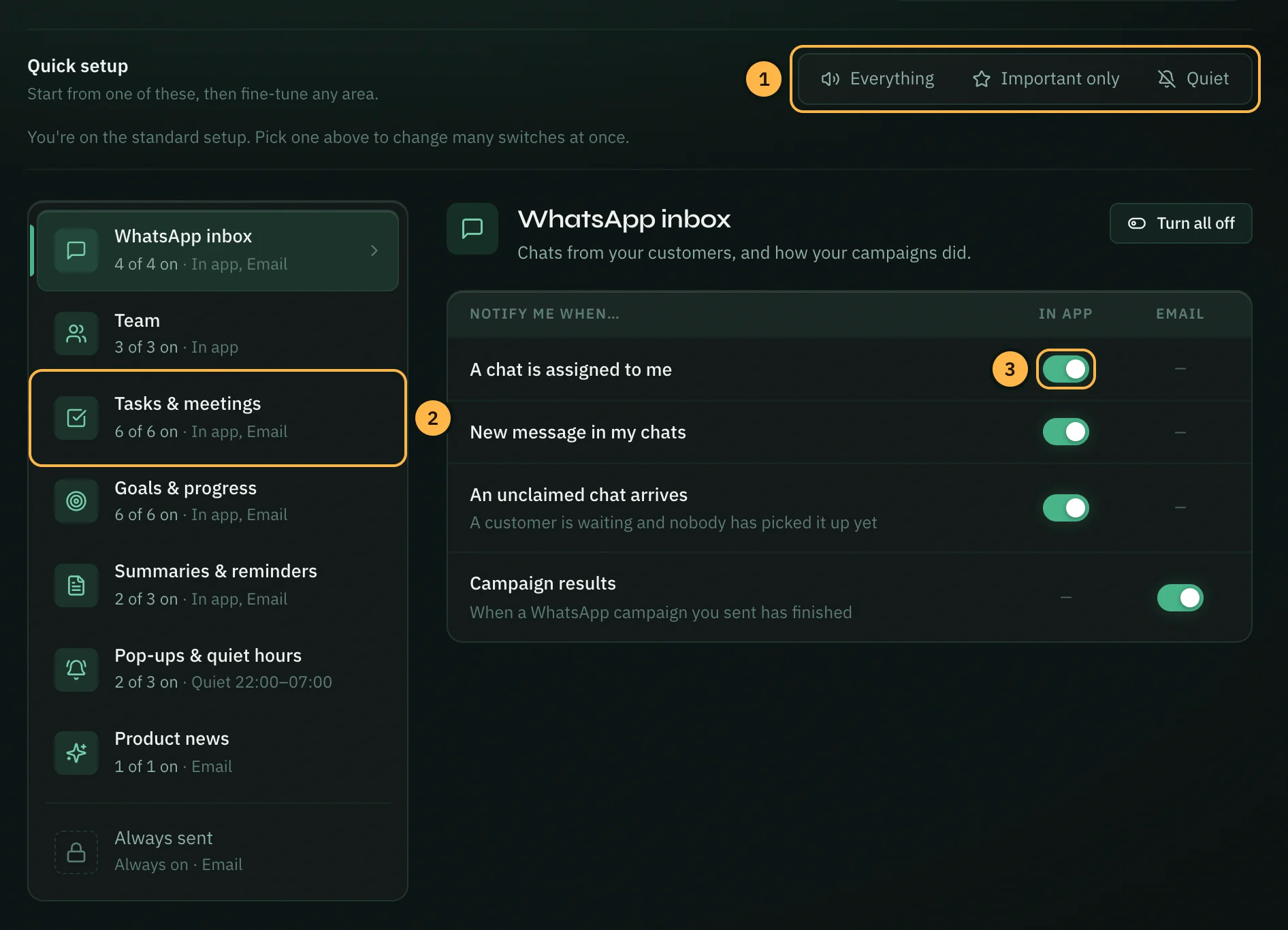
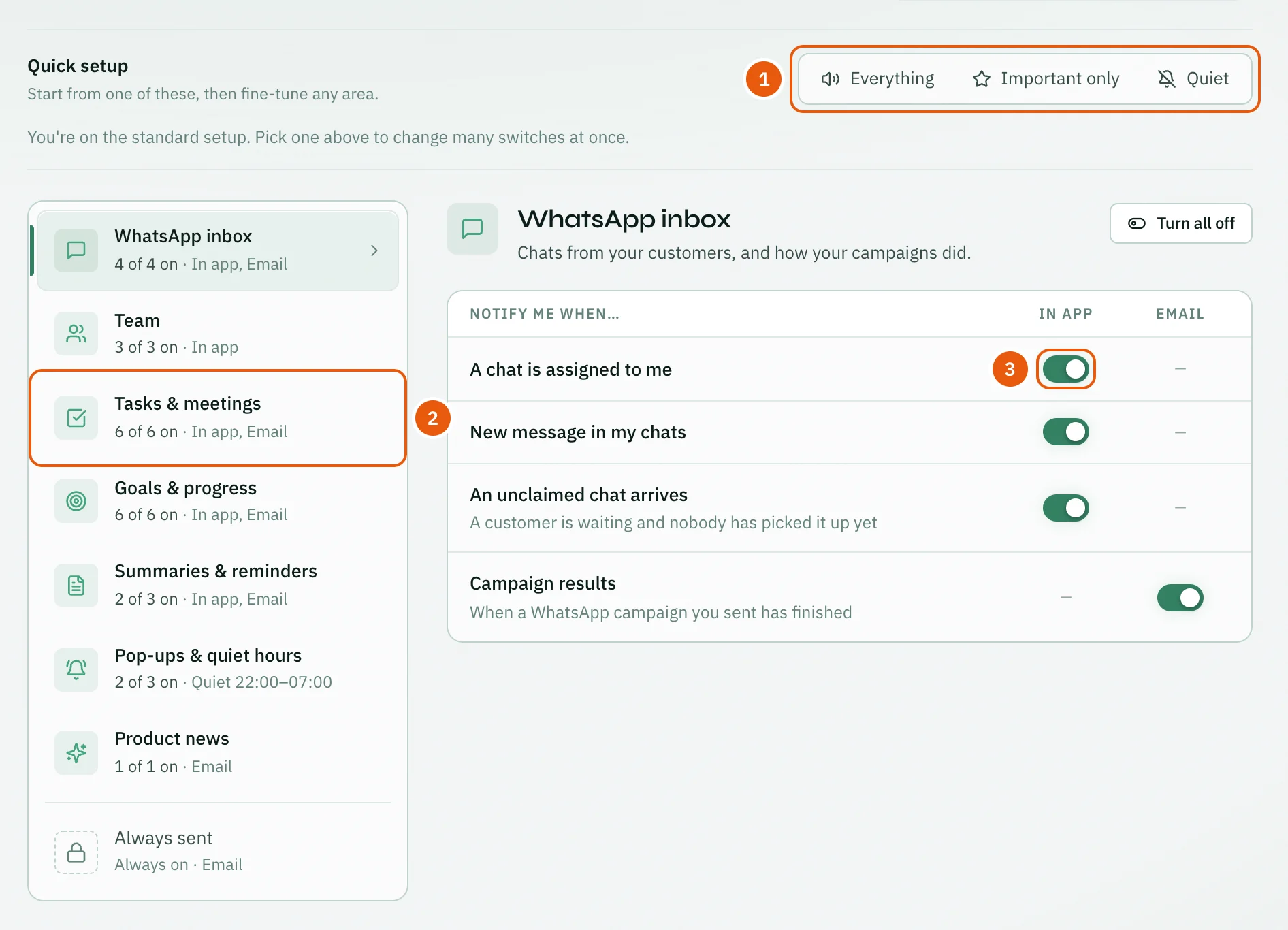
Quick setup changes many switches at once:
- Everything: every switch on, in the app and by email.
- Important only: in the app, chats assigned to you, unclaimed chats, tasks assigned to you, your tasks due, @mentions, meeting reminders and invites, team goals falling behind and team reports. By email, meeting reminders, team goals falling behind and campaign results. Everything else off.
- Quiet: in the app, only chats assigned to you, tasks assigned to you and @mentions. No optional emails.
After you pick one, the switches that changed are highlighted for a few seconds, each area in the list shows how many of its switches changed, and the line under the buttons says how many changed in total. Click Undo to put them all back.
The line under the buttons also tells you where you are. A new account starts on the standard setup: everything on except the daily log reminder email. When you change switches by hand so they match none of the three, the bar shows Custom.
Quick setup never changes pop-ups, quiet hours, browser push or the emails we always send.
Sections
The list on the left shows each area and how many of its switches are on. Each row has an In app switch, an Email switch, or both. A — means that notification is never sent that way.
- Quick setup changes many switches at once (see above).
- Click an area in the list to open it on the right.
- Turn a switch on or off. Turn all on or Turn all off changes every switch in the open area.
| Section | Notification | In app | |
|---|---|---|---|
| WhatsApp inbox | A chat is assigned to me | Yes | |
| WhatsApp inbox | New message in my chats | Yes | |
| WhatsApp inbox | An unclaimed chat arrives | Yes | |
| WhatsApp inbox | Campaign results | Yes | |
| Team | New team chat messages | Yes | |
| Team | Someone @mentions me | Yes | |
| Team | A teammate says well done 👏 | Yes | |
| Tasks & meetings | A task is assigned to me | Yes | |
| Tasks & meetings | My tasks due or overdue | Yes | |
| Tasks & meetings | Meeting reminders | Yes | Yes |
| Tasks & meetings | I'm invited to a meeting | Yes | |
| Tasks & meetings | Follow-ups overdue | Yes | |
| Goals & progress | Goal milestones | Yes | Yes |
| Goals & progress | Team goals falling behind | Yes | Yes |
| Goals & progress | Streak milestones | Yes | |
| Goals & progress | Inactivity alerts | Yes | |
| Summaries & reminders | Team reports | Yes | Yes |
| Summaries & reminders | Daily log reminder | Yes | |
| Product news | Occasional announcements | Yes |
A few notes:
- A teammate says well done 👏 is the notification you get when someone claps for your work on the Team page.
- Daily log reminder is a nudge on days you have not logged work. When its email switch is on, choose the time in Send at. The timezone next to it opens Pop-ups & quiet hours, where you can change it.
- Team reports follow their own schedule. Managers set it with Schedule on the Reports page.
- The Team goal strip switch is now in Account → Appearance.
On a phone, the page shows the list first. Tap an area to open it, and tap ← Notifications (or your phone's back gesture) to go back to the list.
Pop-ups & quiet hours
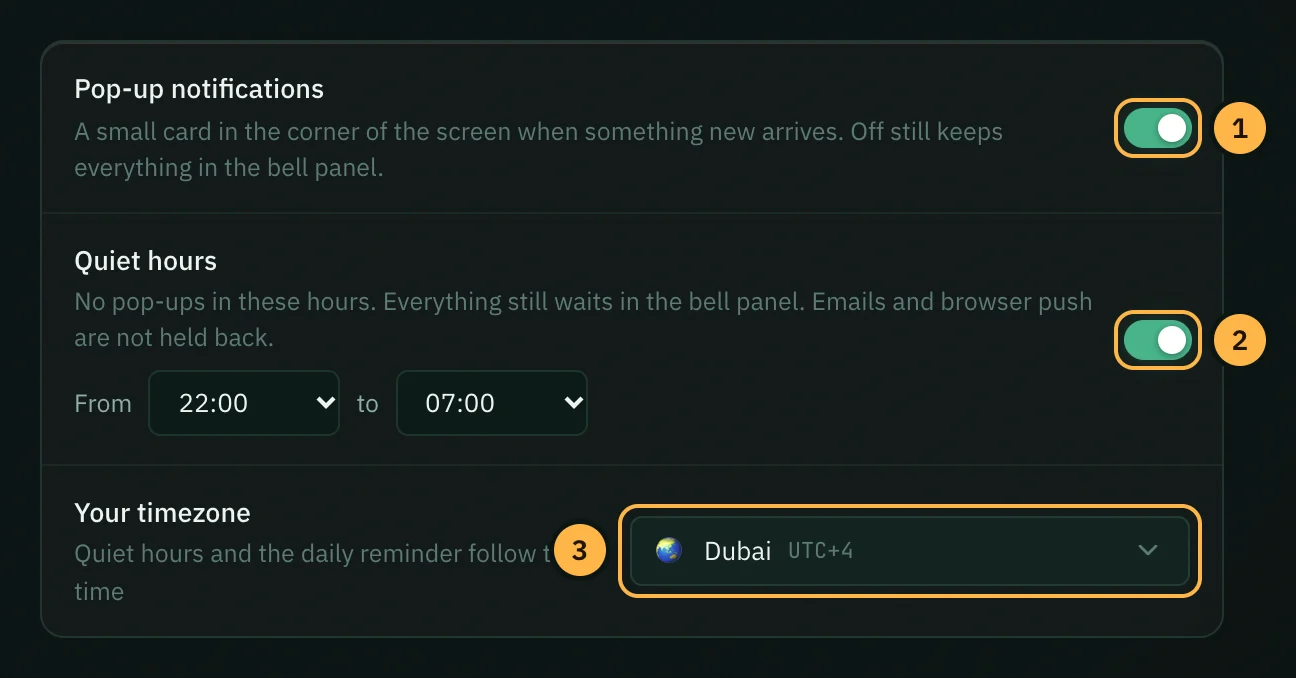
- Pop-up notifications: turn this off to stop pop-ups. Every notification is still saved in the bell panel.
- Quiet hours: no pop-ups between the From and To times you choose. Notifications still reach the bell panel. Emails and browser push are not held back. Quiet hours only work while pop-ups are on.
- Your timezone: used for quiet hours and for the daily reminder time.
Browser push: if your browser supports it, this section also shows New WhatsApp messages. It sends a system notification when a chat assigned to you gets a message, even when Opzello is in another tab. The first time, click Allow in this browser (or turn the switch on) and your browser asks for permission.
Always sent
The last section, Always sent, lists the emails about your account's safety, billing and workspace. Their switches are locked on, so you cannot turn them off:
- Security: email verification, password reset, password or email address changed.
- Account: welcome, an account created for you, account deleted.
- Billing & plan: invoices and receipts, failed payments, plan changes, trial reminders, AI tokens running low or used up.
- Workspace: invitations, removed from a workspace, workspace deleted or reset, API keys created or revoked.
- WhatsApp: messages stopped arriving, connection expired, a campaign failed.
- Meetings & support: meeting invites, support ticket received and replies.
Thank you — that helps us improve the docs.