Sales Module
Deals, pipeline stages, and who brings in the business
Last updated 2026-11-01
The Sales module tracks deals from first contact to won or lost. Unlike the other modules, deals are shared: everyone in the workspace who can open Sales sees the team's deals.
Open the module
The Modules group in the sidebar shows a page for each of your work roles. To pick your roles, click your name at the bottom of the sidebar and choose My work roles. Pick up to 3 roles, then click Save changes in the bar at the bottom. You can also find this page in Workspace Settings → Your work roles. Roles belong to one workspace, so you can pick different roles in each workspace.
You can open any module, even one that is not your role, from Modules → All Modules. If you don't see Modules in the sidebar, the workspace owner has turned off Role Modules in Workspace Settings → Features.
The dashboard
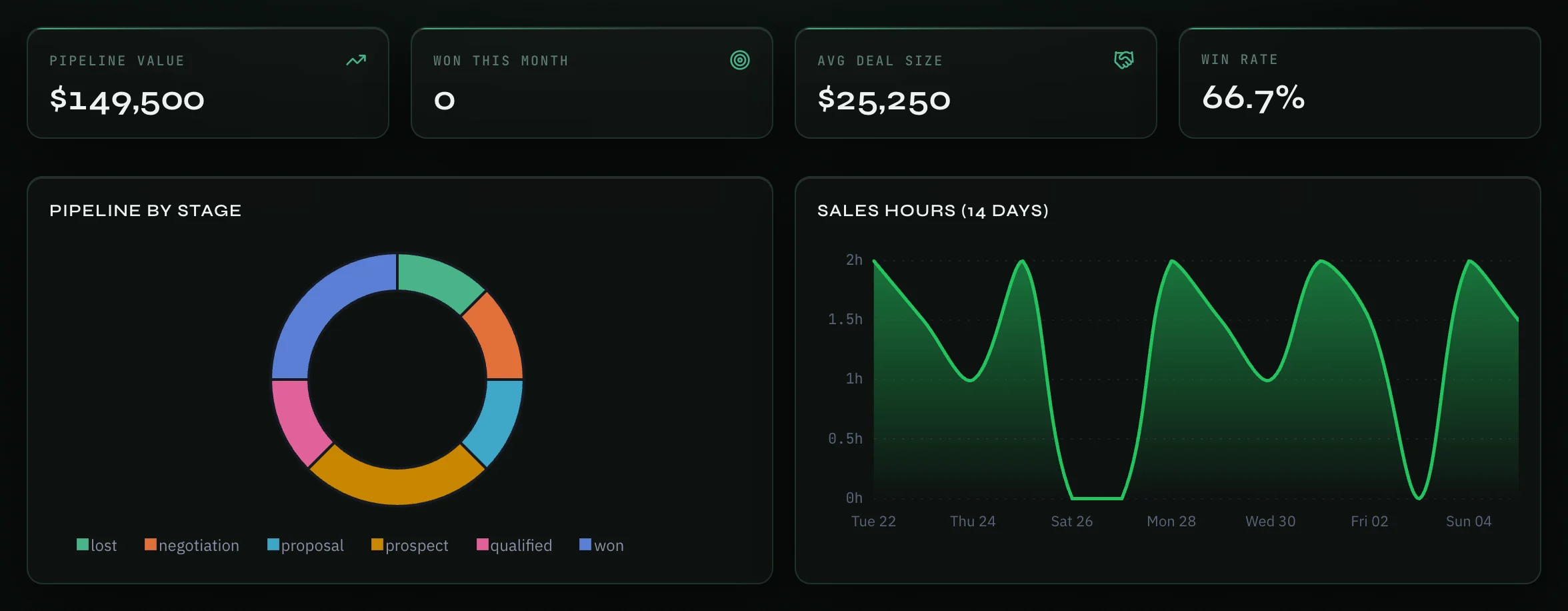
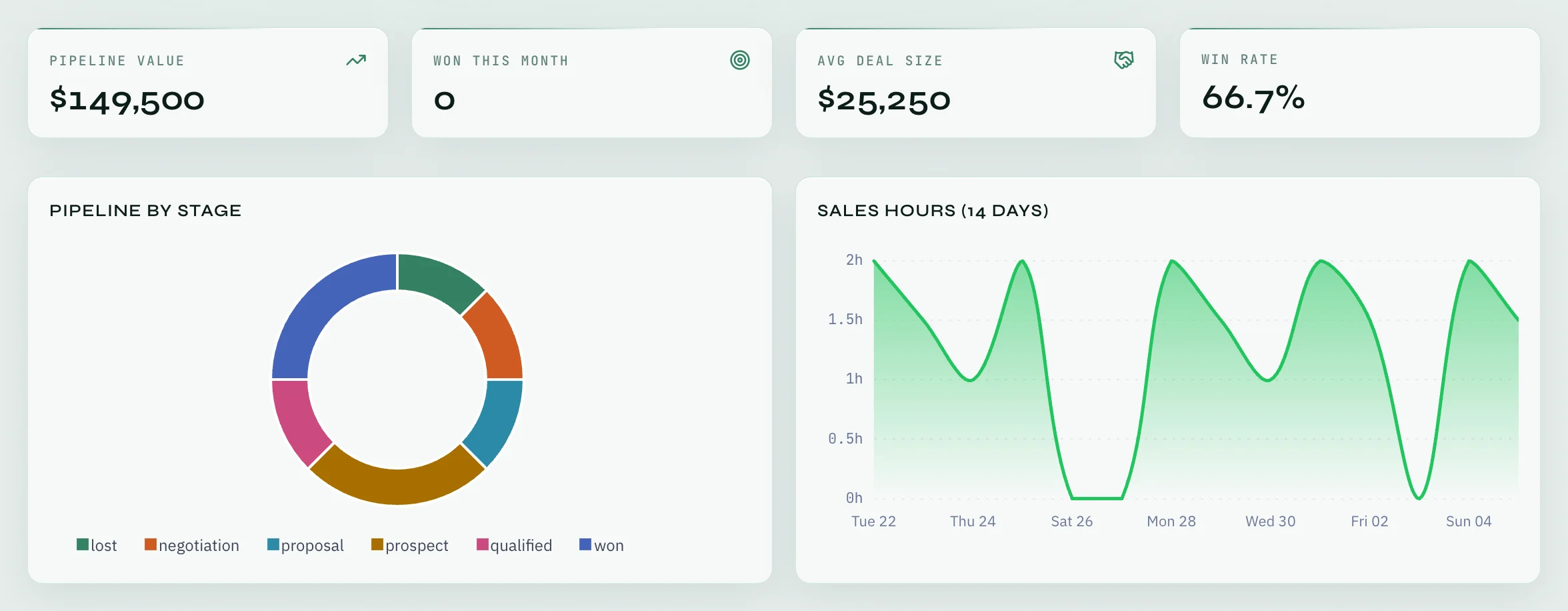
The top of the page has four numbers:
- Pipeline value — the total value of open deals.
- Won this month — deals won this month.
- Avg deal size and Win rate.
Two charts follow: Pipeline by stage, and Sales hours (14 days), which shows your work logs tagged Sales.
Below the charts:
- Who brings deals — a table with each person's deals: Created, Won, Won value, Open pipeline and Win rate. Created counts activity; won counts results.
- Deals — a card for each deal with its stage, value, probability and close date. Click Mine to see only your own deals, or All to see everyone's. A deal made from a WhatsApp chat shows From WhatsApp: click it to open that conversation.
Add a deal
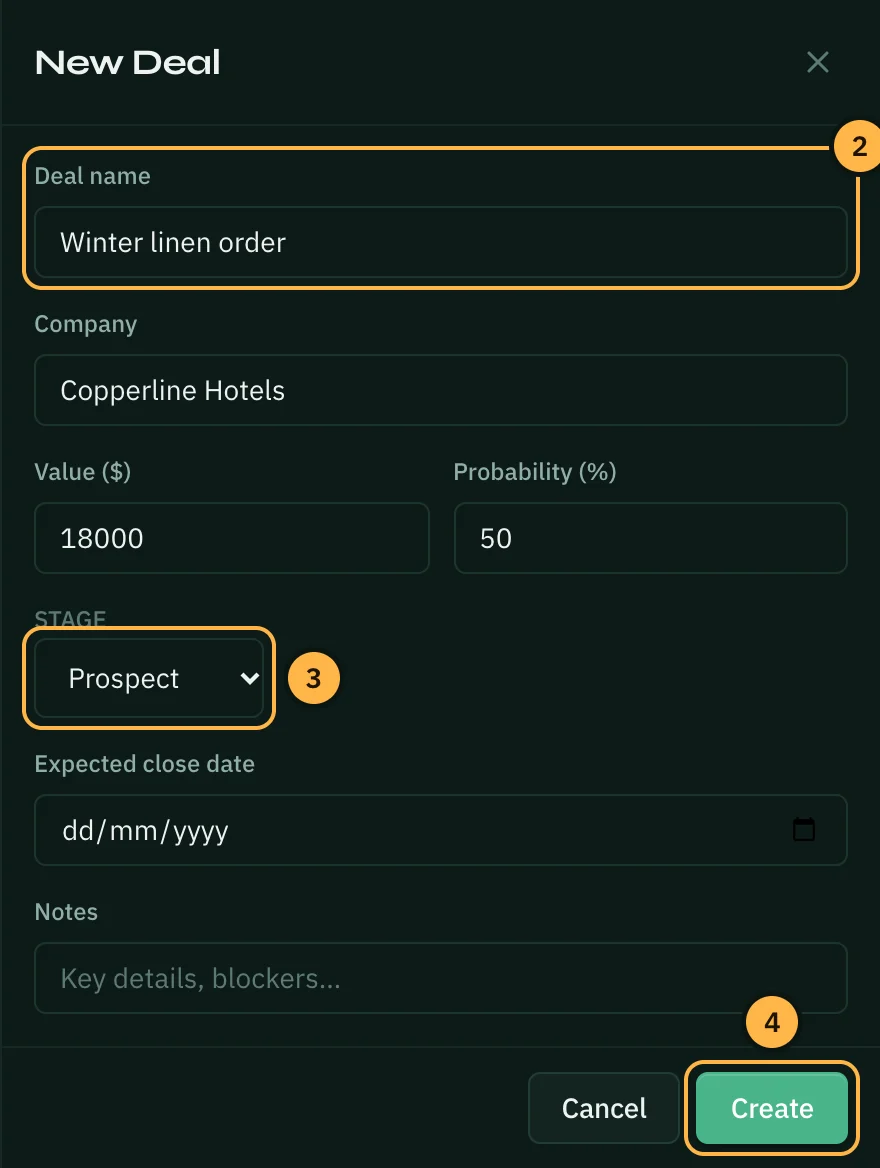
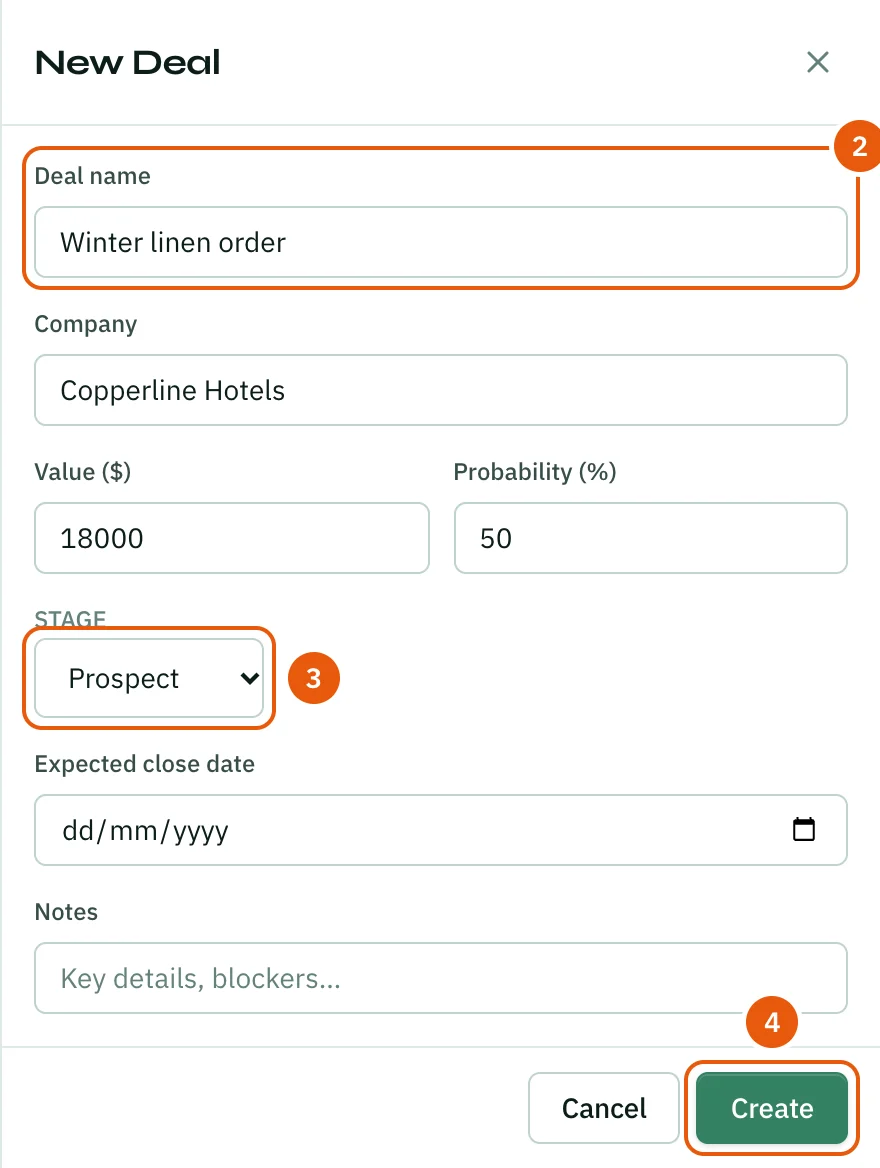
- Click Add Deal at the top right of the page.
- Type the Deal name. It is the only required field. You can also add the Company, the Value ($), the Probability (%), the Expected close date and Notes.
- Pick the Stage: Prospect, Qualified, Proposal, Negotiation, Won or Lost.
- Click Create.
Move a deal forward
Click Edit on the deal card, pick the new Stage and click Update. When the deal closes, set the stage to Won or Lost. Click Delete to remove a deal.
You can edit and delete deals you own. The workspace owner and people who can manage workspace settings can edit any deal.
Tips
- A key result on a goal can track deals by itself: Revenue won, Deals closed, Pipeline added or Win rate. See Key Results.
- The Sales report in Reports shows deals won and lost, win rate, average deal size and the pipeline for any period.
- Ask AI at the top of the page opens Ask AI in Sales mode, so its answers focus on sales work.
Thank you — that helps us improve the docs.