Design Module
Design assets, review status, and creative hours
Last updated 2026-11-01
The Design module tracks your design work, from first draft to published: UI designs, branding, illustrations, prototypes and research. Each asset moves through four stages: Draft → In Review → Approved → Published.
Open the module
The Modules group in the sidebar shows a page for each of your work roles. To pick your roles, click your name at the bottom of the sidebar and choose My work roles. Pick up to 3 roles, then click Save changes in the bar at the bottom. You can also find this page in Workspace Settings → Your work roles. Roles belong to one workspace, so you can pick different roles in each workspace.
You can open any module, even one that is not your role, from Modules → All Modules. If you don't see Modules in the sidebar, the workspace owner has turned off Role Modules in Workspace Settings → Features.
The dashboard
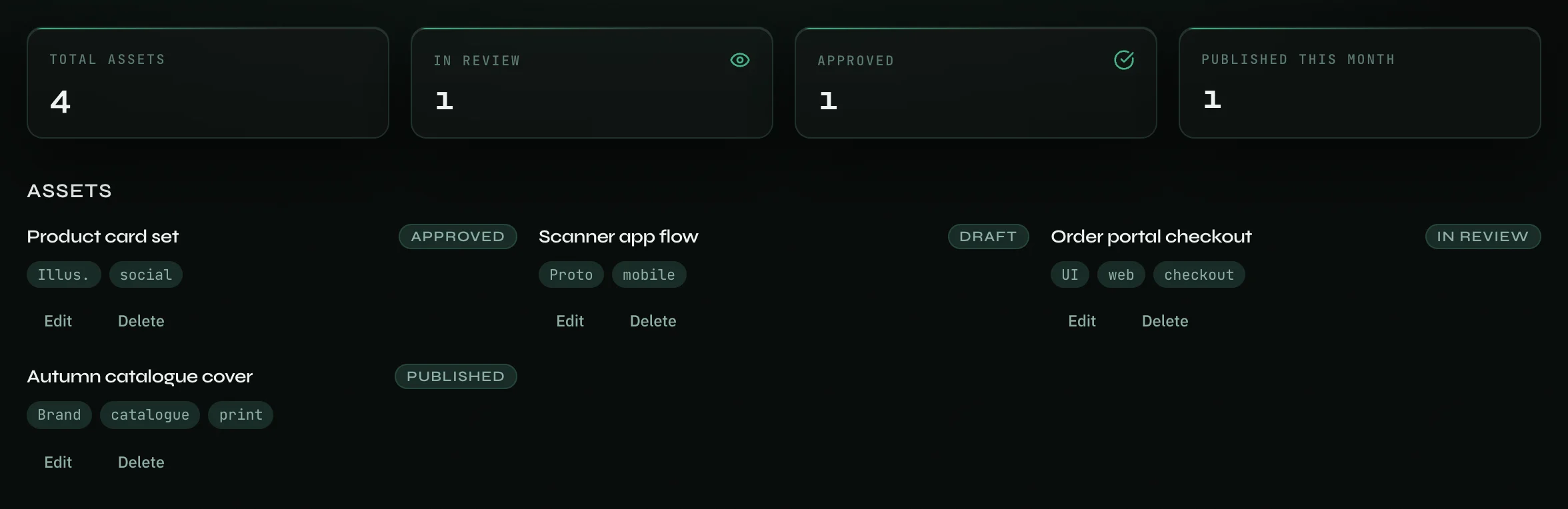
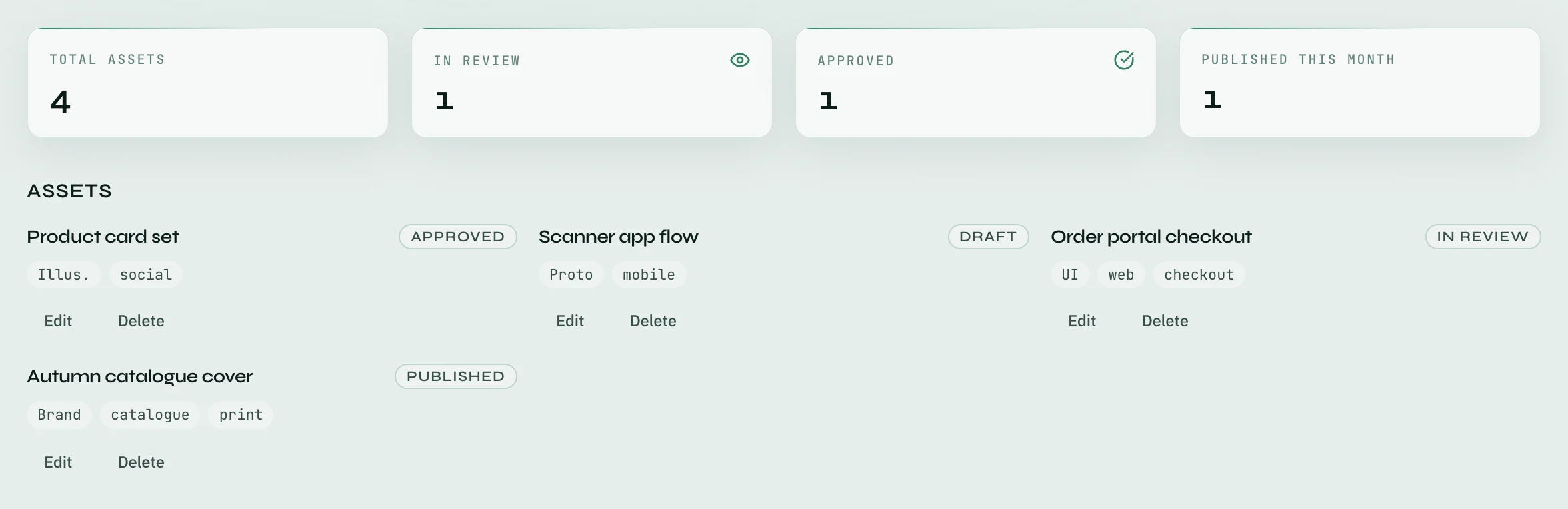
The top of the page has four numbers:
- Total assets.
- In review and Approved — assets at that stage now.
- Published this month — assets marked Published this month.
Below the numbers, two charts show By status and Design hours (14 days), which counts your work logs tagged Design. Under the charts, Assets lists each asset with its stage, type and tags.
Add an asset
- Click Add Asset at the top right of the page.
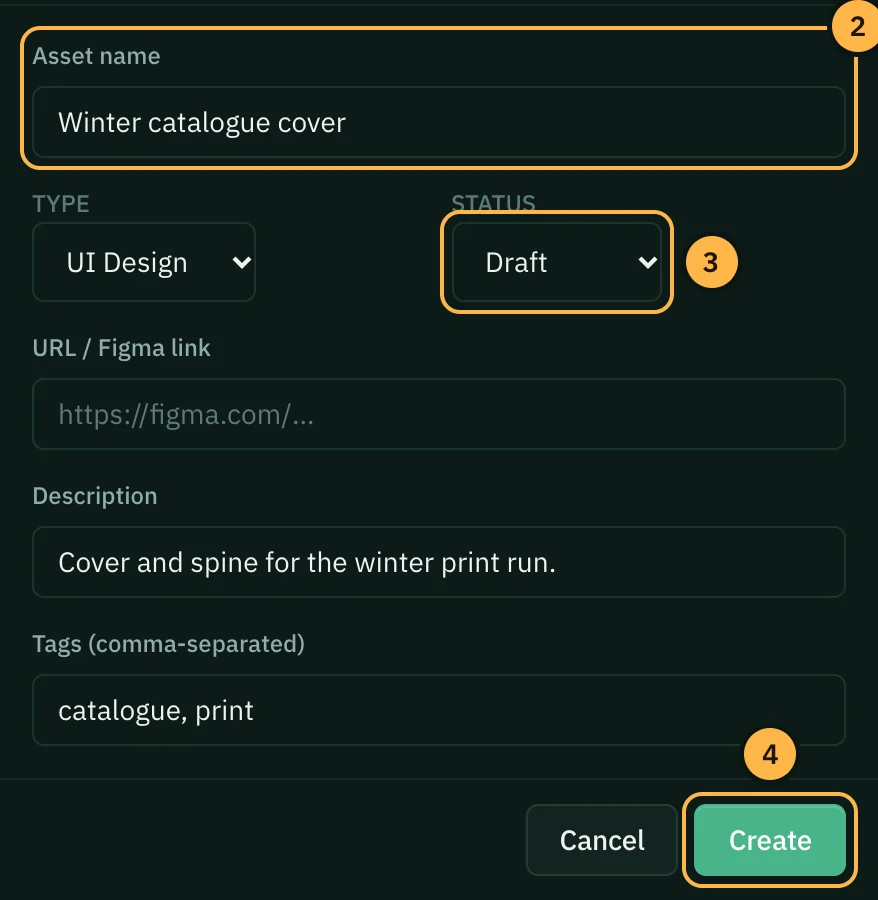
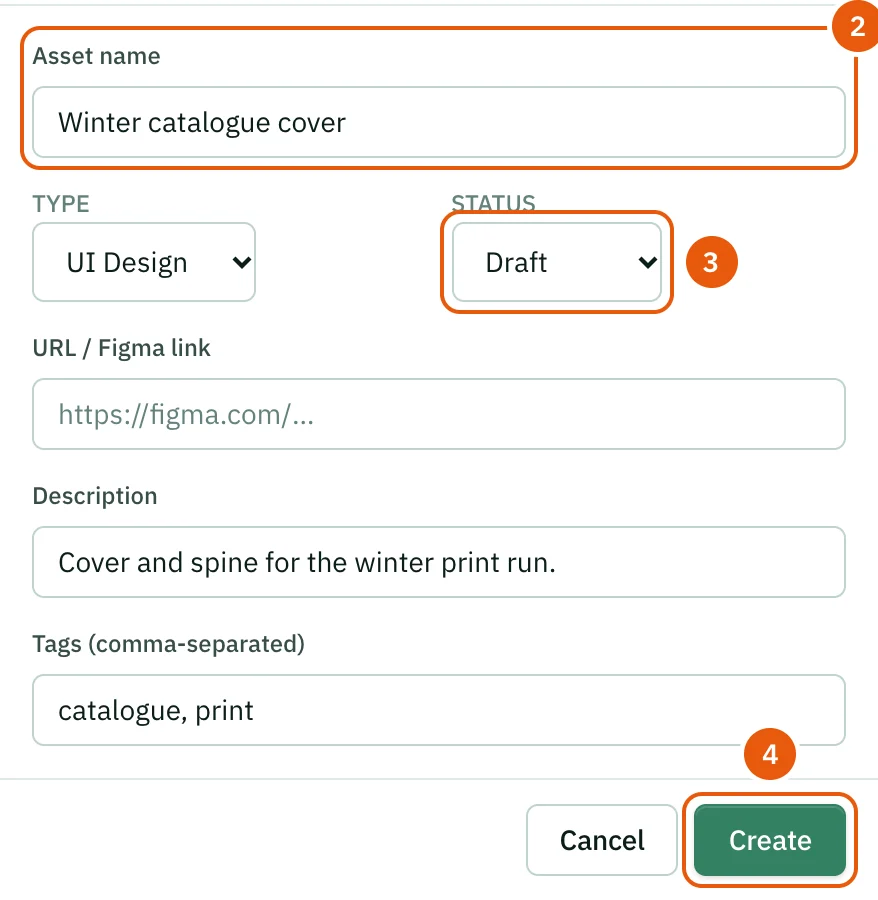
- Type the Asset name. It is the only required field. You can also pick a Type (UI Design, Branding, Illustration, Prototype, Research or Other) and add a URL / Figma link, a Description and Tags (comma-separated).
- Pick a Status: Draft, In Review, Approved or Published.
- Click Create.
Change or remove an asset
Click Edit on an asset to change it, for example to move it to the next stage, then click Update. Click Delete to remove it.
Tips
- Set In Review when you hand the work to someone for feedback, and Approved only when they have said yes. Then the numbers show where work is waiting.
- Put the Figma or file link in URL / Figma link, so anyone reading the asset can open the work.
- Log your design work with the Design role, so the hours chart shows where your time goes.
- Ask AI at the top of the page opens Ask AI in Design mode, so its answers focus on design work.
Thank you — that helps us improve the docs.