Monthly Overview
Long-range trends, categories, and month-close review
Last updated 2026-11-01
The Monthly page (Work Logs → Monthly) answers one question: "Where did the month go?" It shows the month as a calendar, with totals below it.
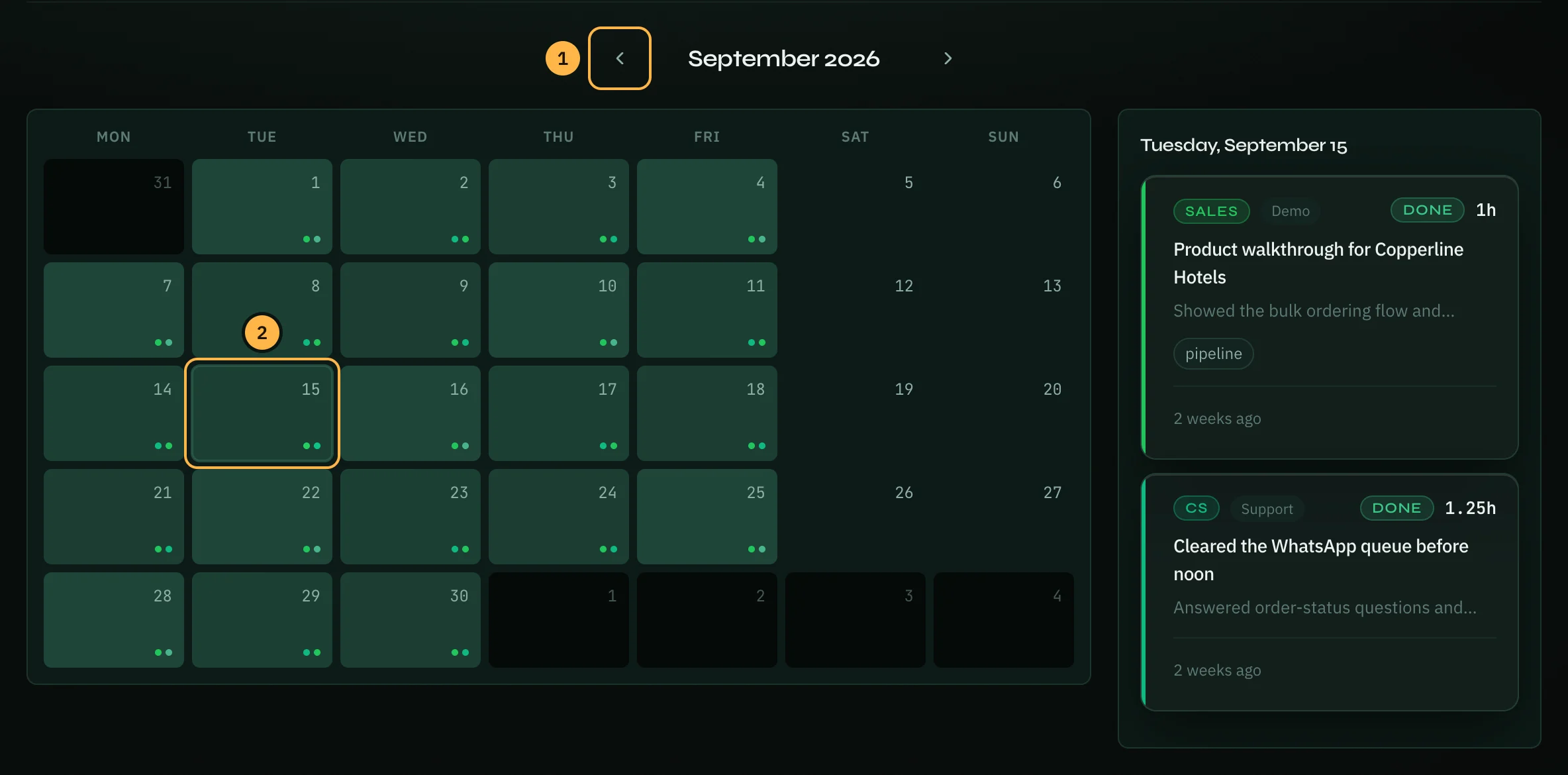
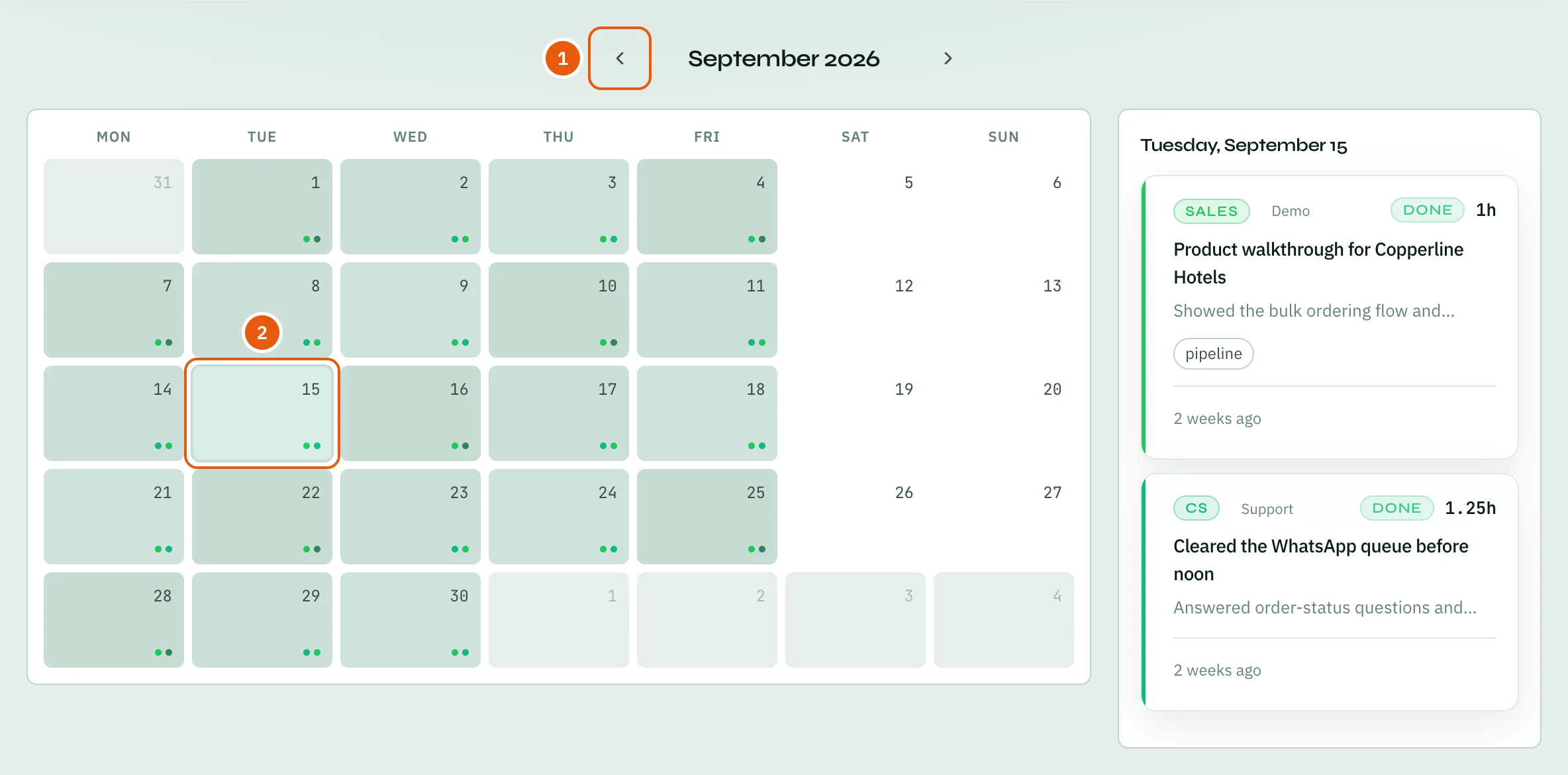
Read the calendar
Each day in the calendar is shaded by how many hours you logged: the darker the square, the more hours. The small dots show which roles you worked in that day, one dot per role. Days from the month before or after are greyed out.
- Use the arrows next to the month name to go one month back or forward.
- Click a day to see its entries in a panel next to the calendar. Click the day again to close the panel.
Monthly totals
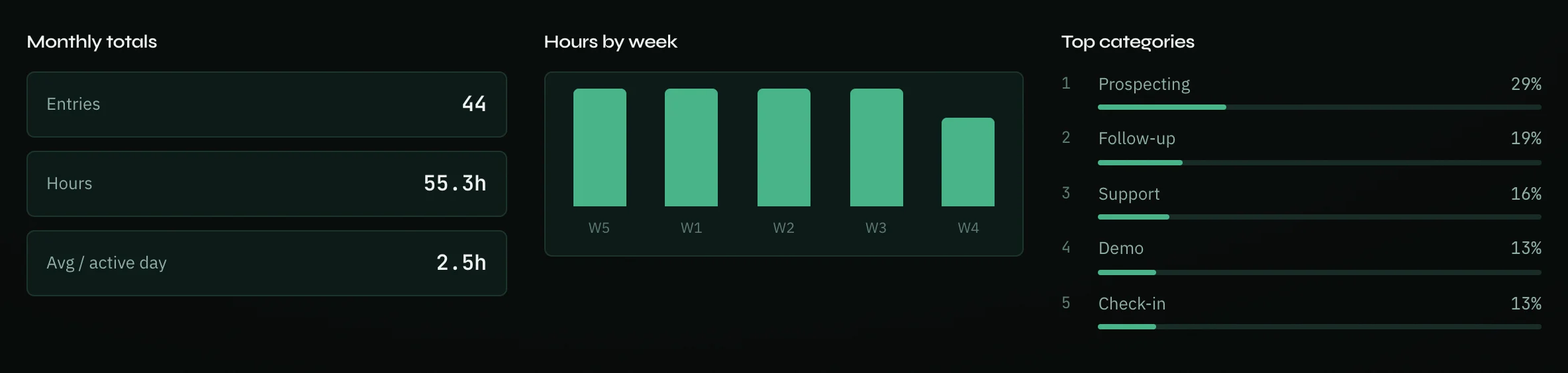
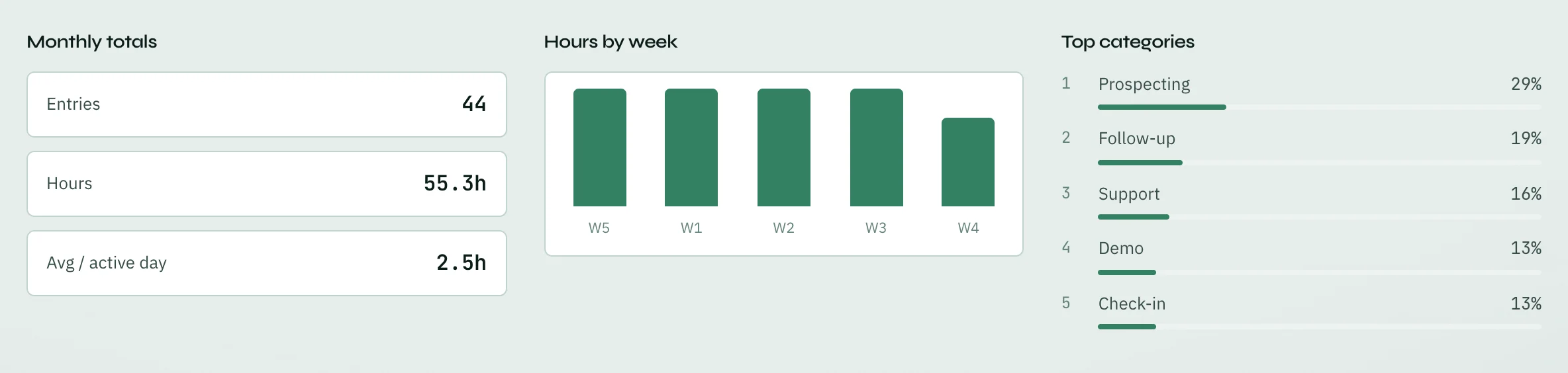
Below the calendar you find three summaries for the month:
- Monthly totals: the number of Entries, the Hours, and the average hours per day you logged something (Avg / active day).
- Hours by week: a bar for each week of the month.
- Top categories: the categories you spent most time on, as a share of your hours.
Days follow the timezone in your profile, so a day starts at your local midnight.
To work with the numbers in a spreadsheet, download your work logs as a CSV file: open the account menu at the top right, choose Profile, then Data & Privacy.
A month-close checklist
Many people close each month like this:
- Scan the calendar for empty days and add any missing logs.
- Check that each client or project you worked on has its logs.
- Update your goal check-ins while you still remember the details.
- Finish or delete old tasks, for example ones created from meetings.
- Click Person report at the top of the page (or go to Reports → New report) to make a report for the month, and download its PDF to share.
Thank you — that helps us improve the docs.