Meeting Tracker Overview
The Meetings page: totals, upcoming meetings, charts and the list of every meeting
Last updated 2026-11-01
Meetings is where you keep track of meetings with customers and partners: who you met, what kind of meeting it was, how it went and what the deal could be worth. Open it from Meetings → Overview in the sidebar. Contacts and AI Insights sit under it.
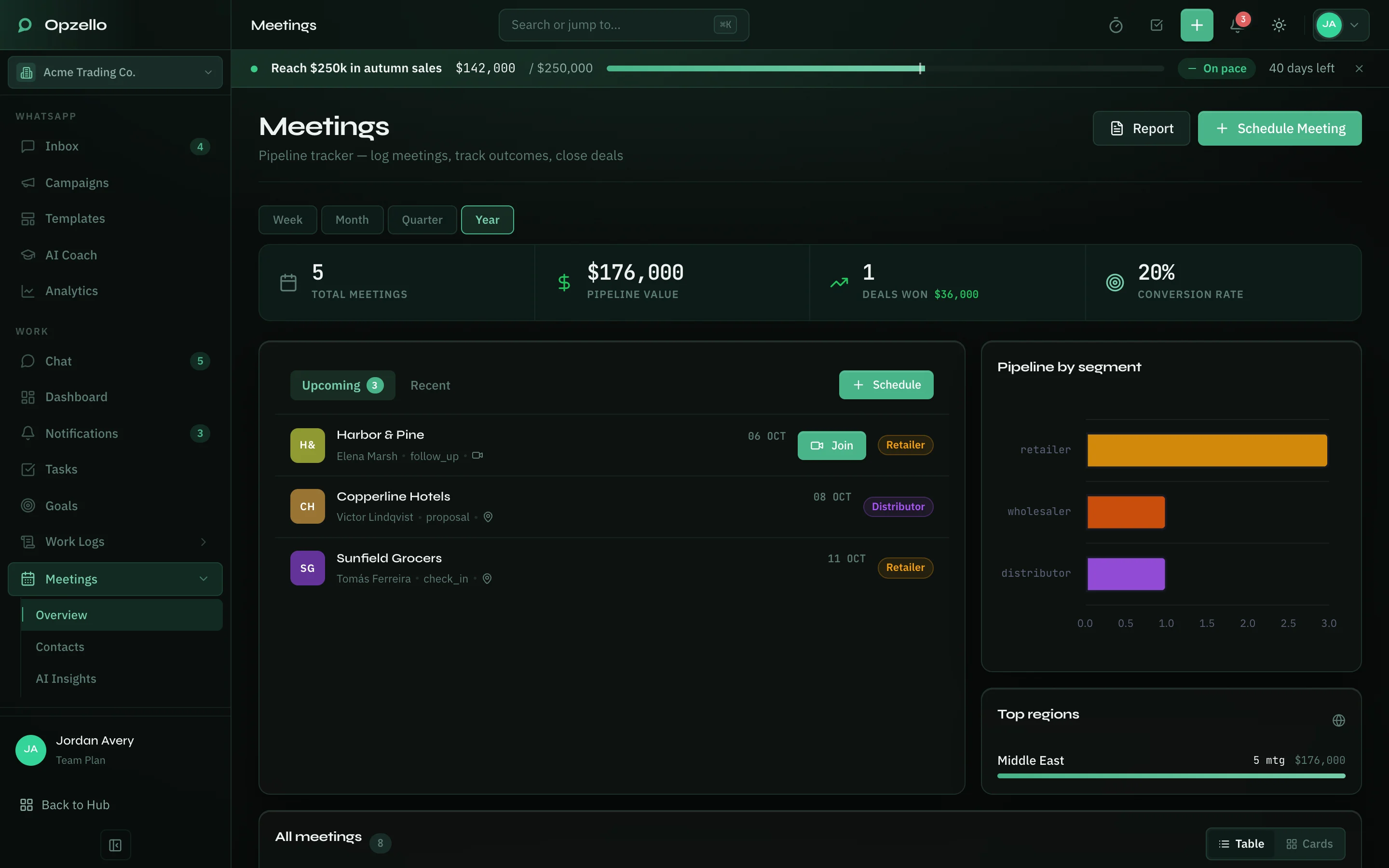
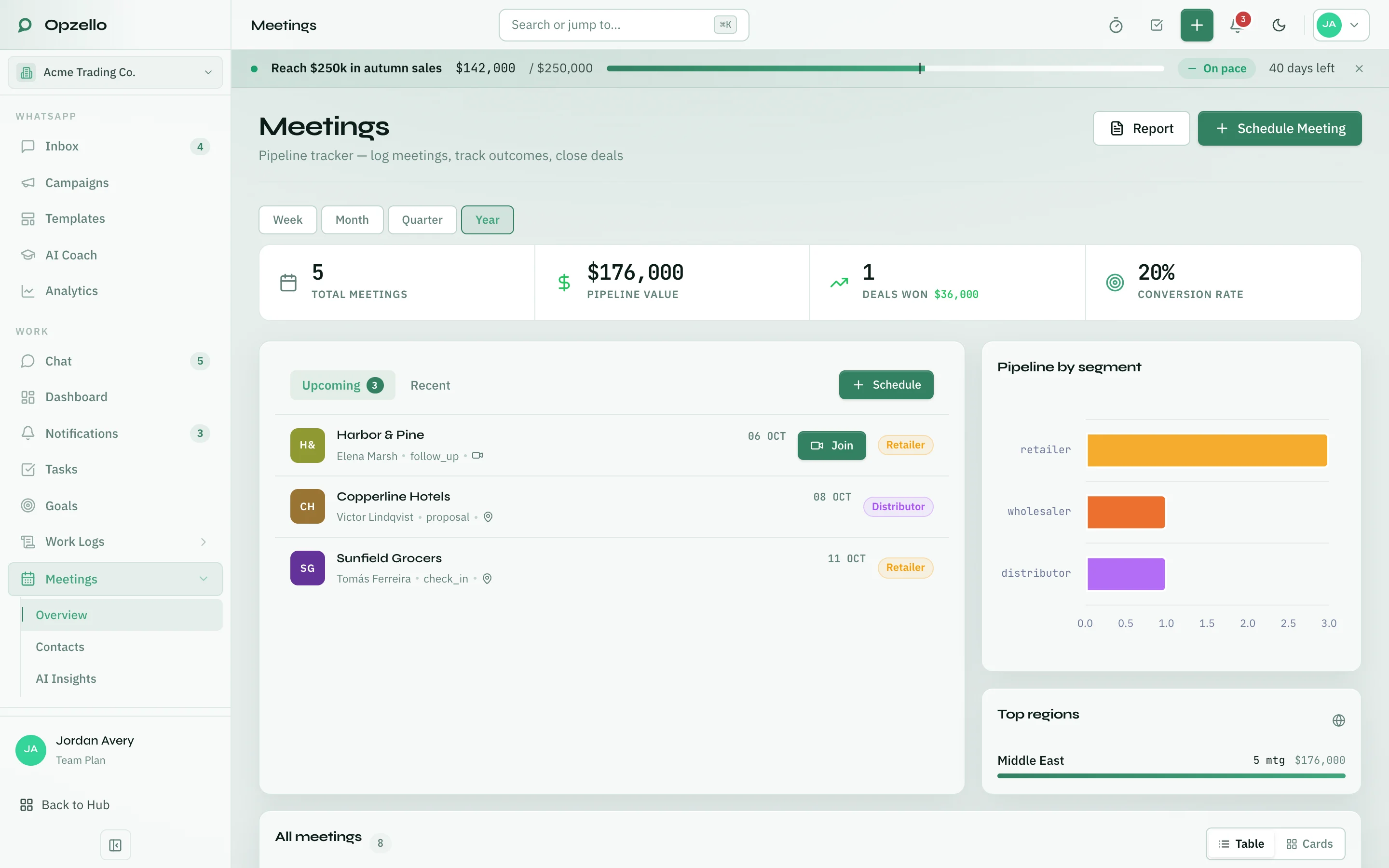
From top to bottom, the page shows:
- Week, Month, Quarter and Year pick the period for the totals and charts.
- Totals: total meetings, pipeline value (the estimated value of the deals you discussed), deals won and conversion rate.
- Upcoming and Recent: the next scheduled meetings and the latest held ones. A meeting with a call link has a Join button.
- Pipeline by segment and Top regions: where your meetings and pipeline value come from, by business type and region.
- All meetings: every meeting, as a table or as cards.
Two buttons sit at the top right. Schedule Meeting opens the meeting form (see Logging a Meeting). Report opens New report in Reports with a Sales report for this month already picked, if your role can see reports.
Find a meeting
- Type a company or contact name in the search box.
- Narrow the list by segment, status (for example Scheduled or Completed) or outcome.
- Click a meeting to open its panel with notes, action items, follow-ups and earlier meetings with the same company.
- Switch between Table and Cards.
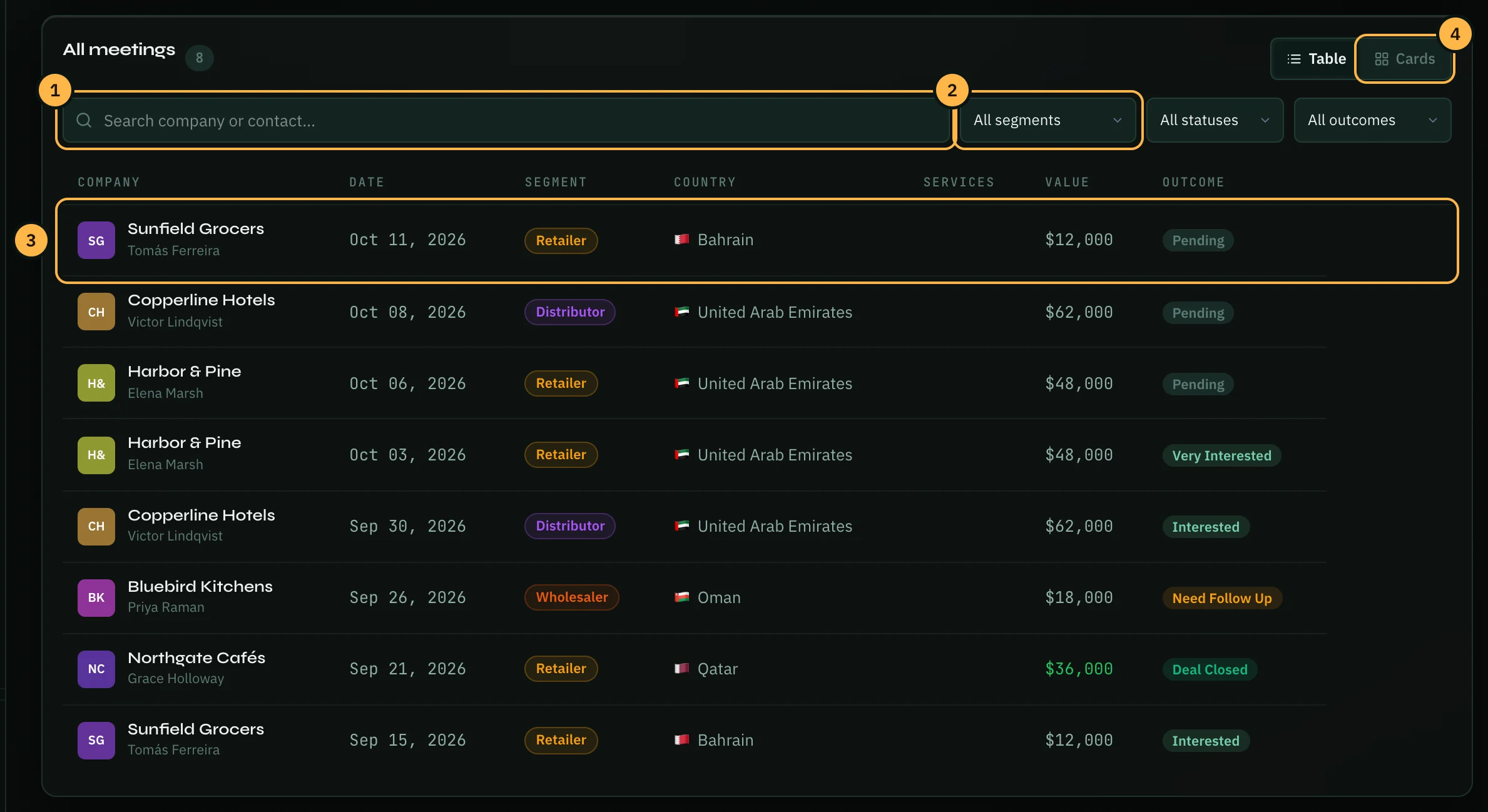
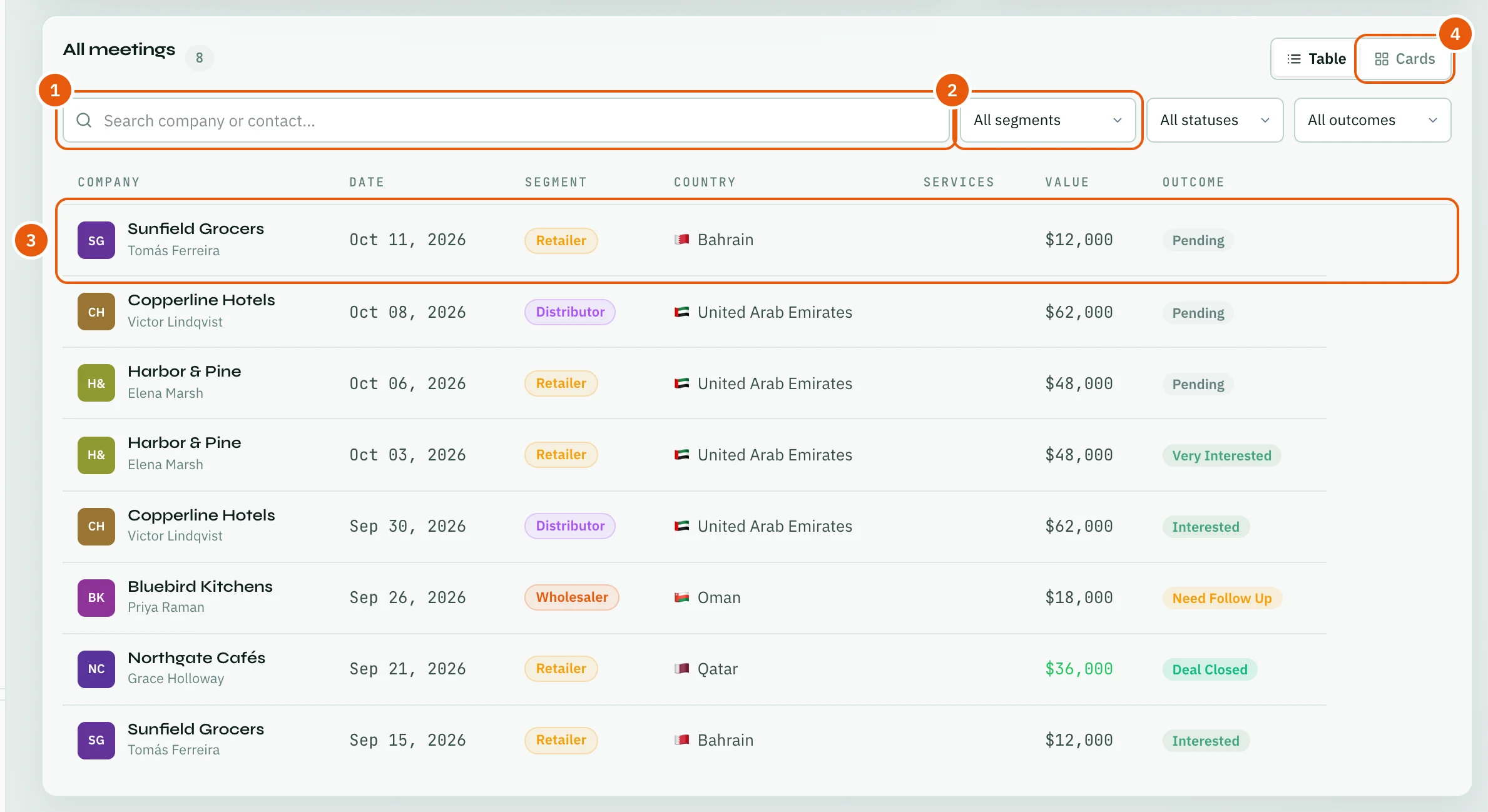
The pencil and bin icons at the end of a row edit or delete the meeting.
The rest of this section covers logging a meeting, contacts, Meeting AI, and scheduling meetings with other people.
Thank you — that helps us improve the docs.